Daniel Mercer

If your phone has lost its signal, a replacement is necessary.
After numerous reports of network disruptions impacting iPhone 18 Pro Max users, Apple has confirmed the existence of a problem. This issue primarily affects AT&T customers in the United States. While an iOS update has been released to resolve the matter, it is important to note that it will not benefit those who have already encountered the issue. Affected users must seek a hardware replacement, as stated by Apple to 9to5Mac.
What is Apple’s Response to the AT&T Network Problem?
George Mattock/Getty Images
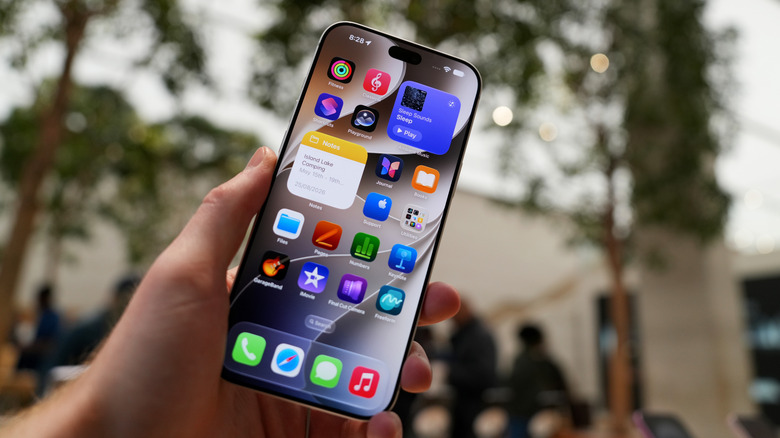
Identifying whether your iPhone 18 Pro Max has the bug is straightforward. If affected, your device will display the “SOS” indicator in the status bar instead of the usual signal bars. This will result in a complete loss of functionality for calls, text messages, and data services on both 4G and 5G networks. Fortunately, not every iPhone 18 Pro Max user with AT&T is impacted. Apple reported that only a “small number” of customers are affected and provided the following statement to 9to5Mac:
“We have identified an issue impacting a small number of iPhone 18 Pro Max users on the AT&T network that may cause a device to lose service and be unable to make calls. We released iOS 27.0.1 earlier this week and strongly encourage all iPhone 18 Pro Max users to update immediately. we are issuing a carrier settings update today. These updates are designed to help prevent this issue from occurring.”
Notably, the iPhone 18 Pro Max is the sole model available in the U.S. that utilizes a Qualcomm modem rather than Apple’s proprietary technology. it remains uncertain if this has any relation to the network bug. If you own an iPhone 18 Pro Max with an AT&T SIM card, take the following steps: First, ensure your device is updated to iOS 27.0.1. Navigate to Settings > General > Software Update and check for the latest version.
If you have updated, verify that your carrier settings are also up to date. In Settings, go to General and select About to prompt the update. If you don’t receive a notification for a carrier settings update, you likely already have the latest version. Regrettably, if your iPhone has lost its cellular signal, a software update or restore will not resolve the problem. In this case, contact Apple Support or AT&T to arrange for a phone replacement.


 Brandon Fletcher