David Bridges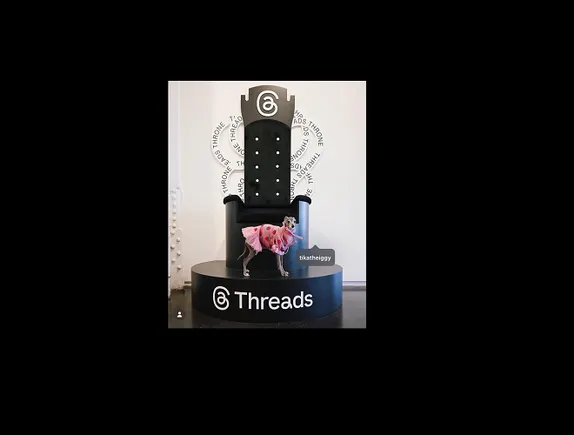
Discover the latest update from Threads that enhances user interaction and connectivity.

Today, Threads has introduced an exciting feature: profile tagging for photos within the app, designed to foster community engagement.
This new functionality allows users to tag other profiles in images they share, creating a direct link to relevant accounts related to the posted content. This means that as you share your photos, you can now enhance the visibility of others by linking to their profiles, which can lead to increased interactions and connections.
According to Threads, the process is simple:
“On mobile, tap on the [person] icon at the bottom left of a photo in the composer, then on the photo. Search for a profile to tag or choose one from the menu.”
This straightforward tagging feature is likely familiar to users of various social media platforms, making it an essential addition to Threads. Although it may seem like a basic update, it represents a significant step towards enhancing user engagement and facilitating connections within the app’s community.
Utilizing this feature can open up many opportunities for influencer collaborations, brand mentions, and even affiliate promotions. Additionally, it provides a fun way to tag friends in quirky AI-generated images, adding a layer of interactivity to your posts.
No matter how you choose to implement the tagging feature, it represents another step towards aligning Threads with other popular social media platforms like Twitter. This enhancement aims to improve user experience by fostering more meaningful interactions.
It’s important to note that currently, tagging is limited to still images; you cannot tag videos or GIFs at this time. Additionally, the functionality to view tags is not yet available on desktop platforms, which may limit accessibility for some users.
If you prefer to maintain your privacy, you have the option to opt out of being tagged in images. This ensures that you can control your online presence according to your preferences.
“Go to Settings > Privacy > Tags and mentions, then choose to “Allow Tags From” everyone, profiles you follow, or no one.”
While this update may seem small for Threads, it certainly paves the way for more dynamic interactions among users, even if it raises concerns about potential misuse.



 Mason Thompson
 Ivy Caldwell