David Bridges

We typically share so much on social media—our morning coffee, what we’re up to, something that resonates with us, and so much more. In an attempt to share more about ourselves with our followers, we tend to post inspirational quotes.
You’ve probably come across posts with song lyrics on social media. If you want to learn how to do the same, continue reading. This article will show you how to share Spotify song lyrics on social media platforms.
Spotify’s Live Lyrics feature works similarly to Apple Music’s Live Lyrics feature. Both allow you to sing along to a song and share specific lyrics. The best part is that sharing Spotify song lyrics on social media only takes a few moments. Here’s how to get started:
- Open the Spotify app on your phone.
- Find and play the song whose lyrics you want to share.
- Tap the music player near the bottom to open it.
- Scroll down to the bottom and tap the Lyrics section.
- Now tap the Share button in the bottom-right corner of the screen.
- Tap the line or lines you want to share, then tap the Share button.
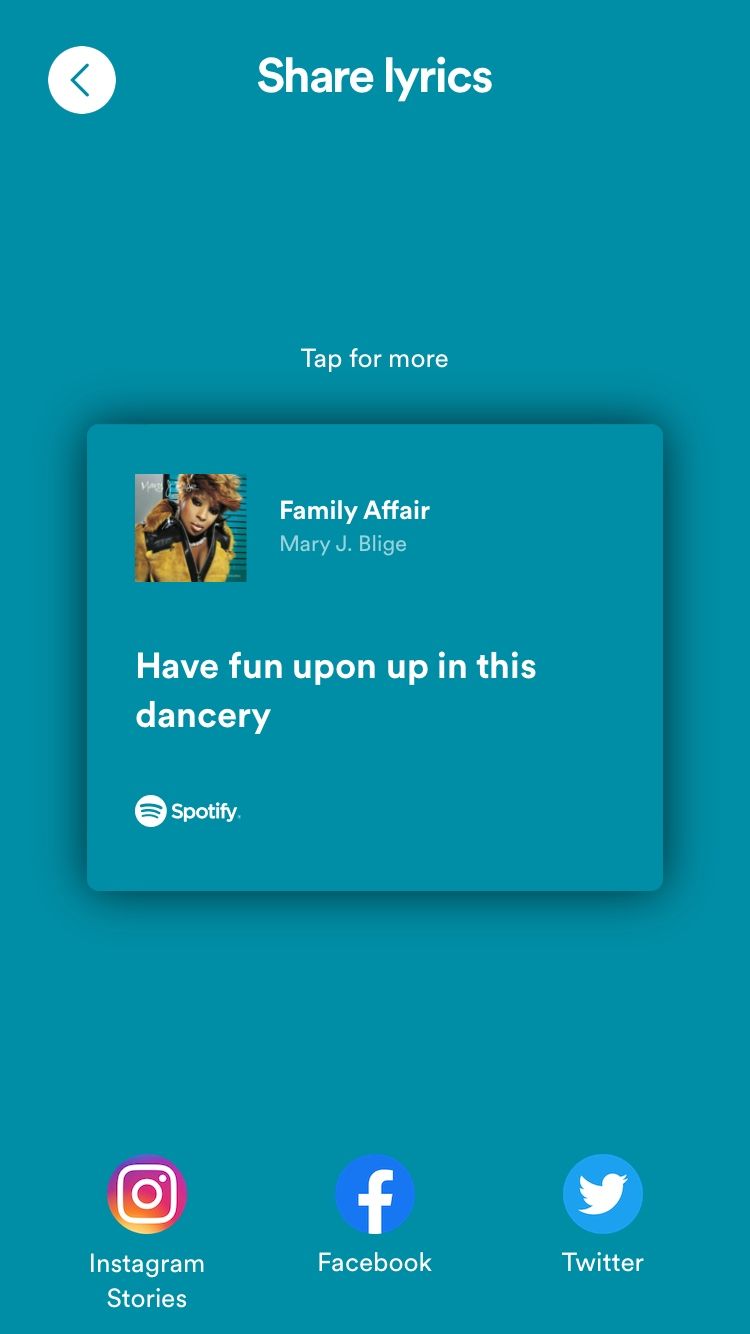
- Spotify will now show you a preview of your post. Tap the social media platform you want at the bottom of the screen.
Now let’s look at how to share Spotify song lyrics to specific social media platforms—Instagram, Facebook, and Twitter, to be exact.
How to Share Spotify Song Lyrics on Instagram
To share Spotify song lyrics on Instagram, tap the Instagram icon, then tap Your story or Close Friends at the bottom of the screen.
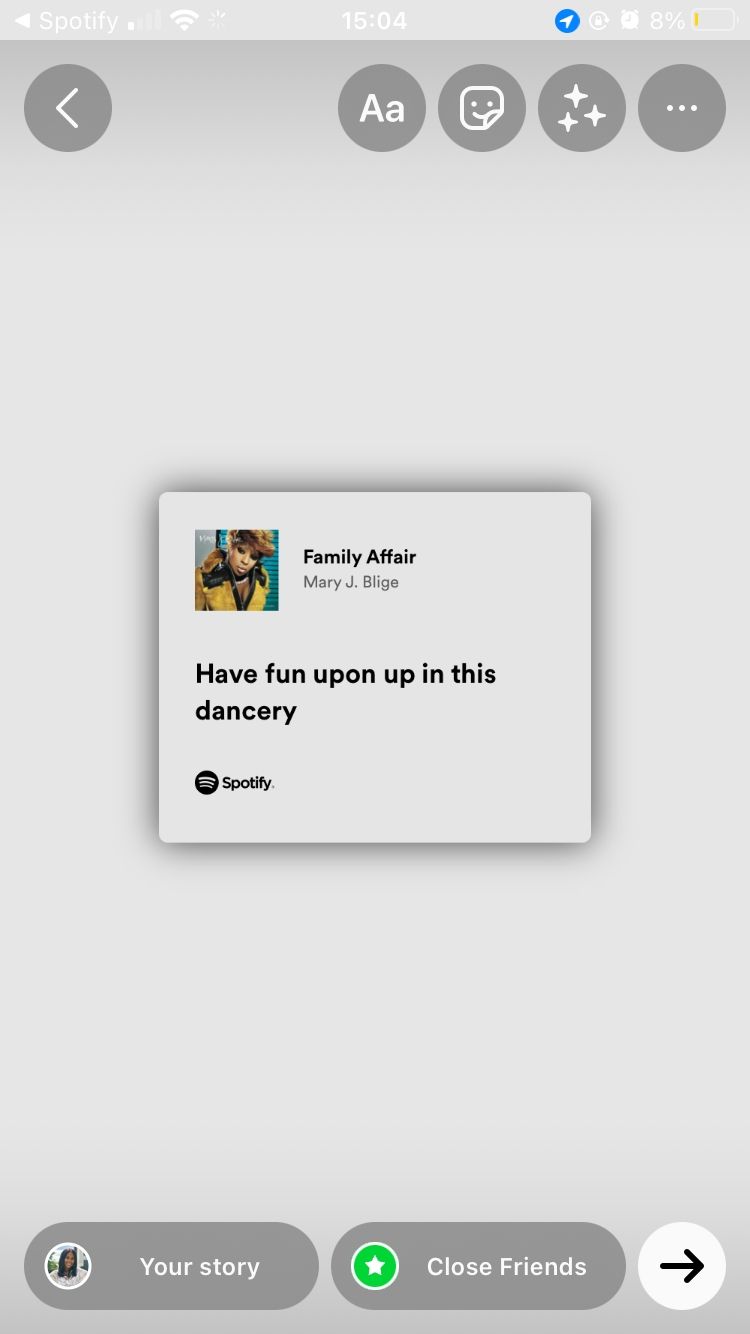
Keep in mind that you can’t share Spotify song lyrics as an Instagram post unless you take a screenshot and upload it to your profile. However, you can still post a Story with your Close Friends on Instagram and share your favorite lyrics.
How to Share Spotify Song Lyrics on Facebook
Moving on to Facebook—to share Spotify song lyrics on your profile, tap the Facebook icon. If you’re prompted to confirm that you want to let Spotify open Facebook, tap Open. You will now see a preview of the song lyrics card. Go ahead and edit the post if you want. When you’re done, tap Share to Story in the bottom-right corner.
As with Instagram, you can’t share Spotify song lyrics as a Story and not as a Facebook post.
How to Share Spotify Song Lyrics on Twitter
Finally, to share Spotify song lyrics, tap the Twitter icon. You will see a preview of your Tweet with the lyrics card on your screen. Add supporting text, then tap Tweet in the top-right corner.
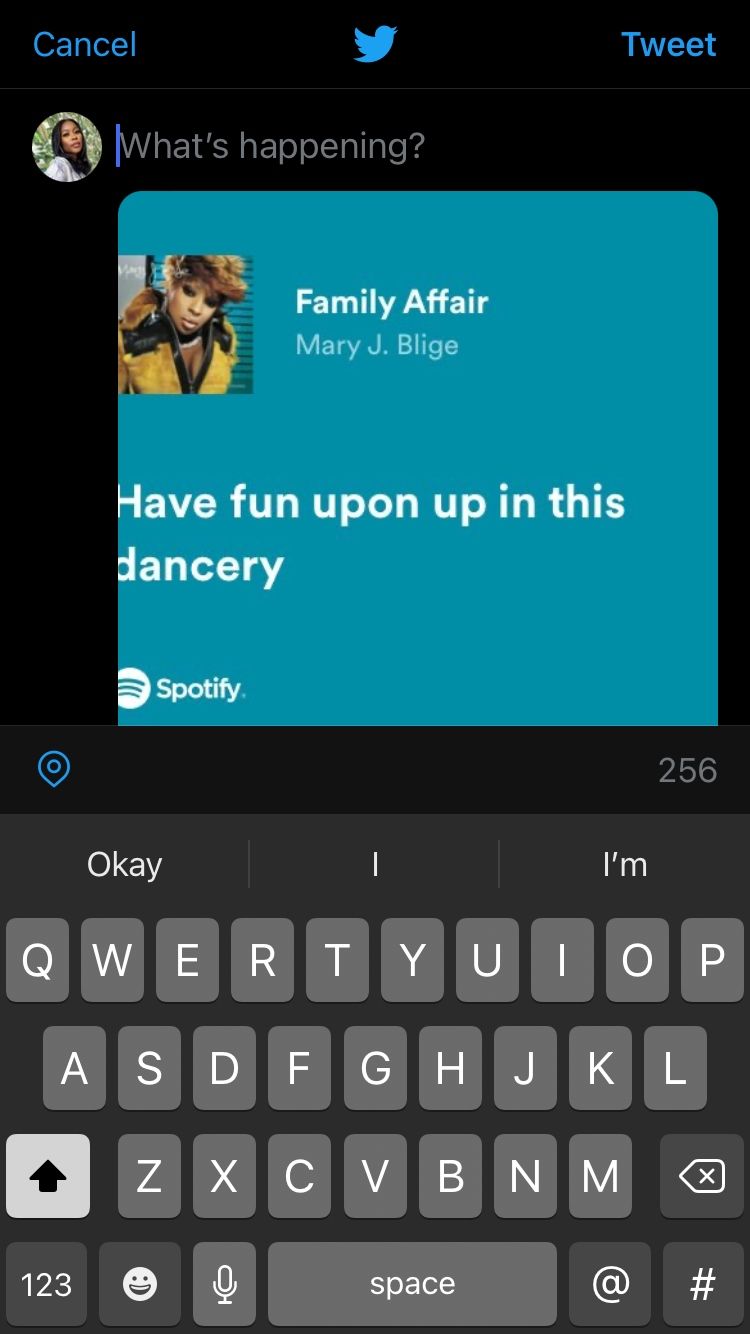
If you’ve shied away from Twitter due to its toxicity, there are still ways to make your Twitter timeline less toxic and have a better experience.
You can only share consecutive lines from a song—you can’t share lines from different points in a song at once. For example, you can share lines five through ten but cannot share lines five, seven, and ten at once. And you can only send full lines, not portions of a line or single words.
This feature works on both Spotify’s free and premium versions. Have you ever wondered just how the two differ? Read our guide to learn the differences between Spotify Free and Spotify Premium.
Sharing song lyrics is a great Spotify feature that can help you connect with your followers on social media without oversharing. Doing this shows your followers what you’re currently listening to and gives them insight into the kind of music you’re into.


 Troy Sanders
 Cameron Steel