David Bridges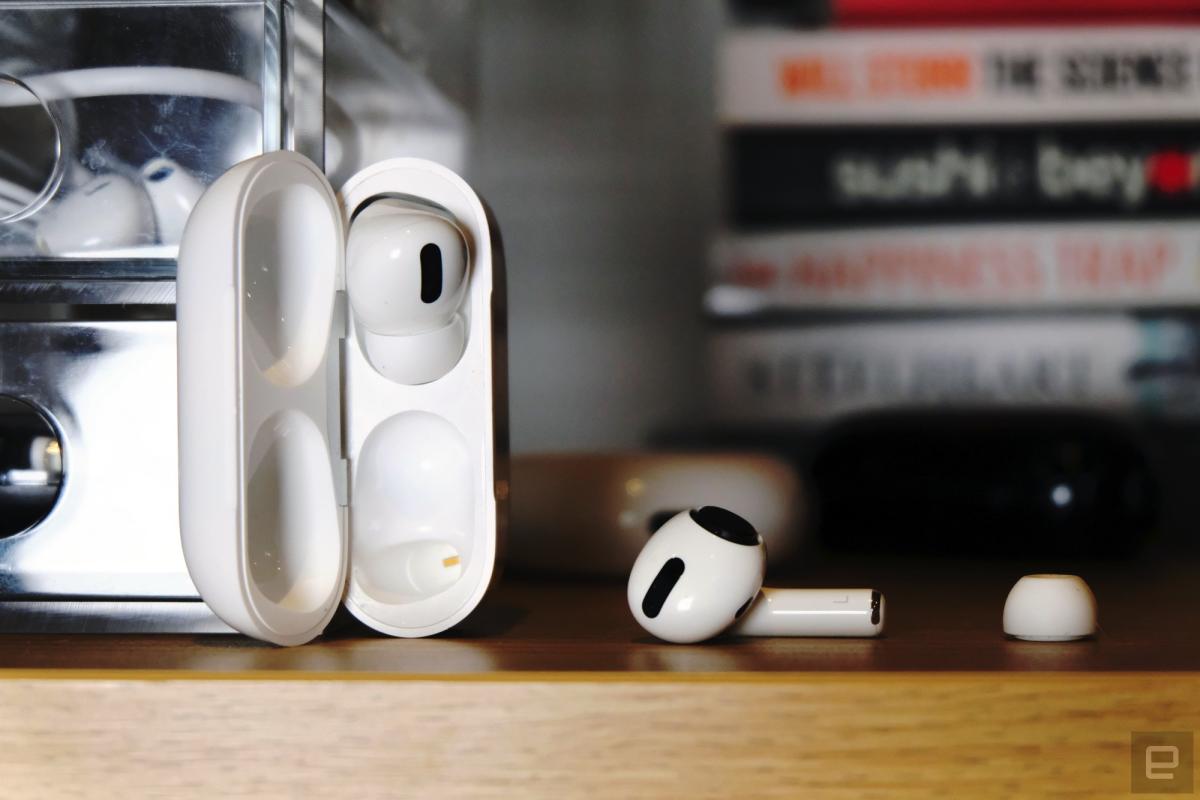

Wireless earbuds have rapidly evolved into essential audio accessories since the launch of Apple’s AirPods in September 2016. This innovation joined other notable true wireless headphone brands such as Jabra, Sony, and Samsung, quickly becoming the preferred choice for millions seeking to enjoy music, podcasts, and streaming services on their smartphones and tablets. The convenience and portability of these devices have made them indispensable for everyday use.
However, the frequent usage and portability of wireless earbuds can lead to a significant accumulation of dirt and grime. Whether you’re commuting, working out, or multitasking at home, your earbuds are exposed to various contaminants such as ear wax, skin oils, and dust. Maintaining proper hygiene is crucial, as a clean pair of earbuds not only enhances your listening experience but also ensures longevity and sound quality. Regular cleaning of both the earbuds and their charging case is essential to keep them functioning optimally.
This guide will provide you with effective and efficient cleaning methods for your earbuds. Even if you prefer wired headphones or are considering DAC-capable earbuds, the cleaning tips shared here remain applicable. Plus, you won’t have to worry about cleaning a charging case if you’re sticking with wired options.
Master the Art of Cleaning Your Wireless Earbuds for Optimal Performance
The method of cleaning your wireless earbuds will vary based on their design. For instance, some models, like Samsung’s Galaxy Buds and Sony’s WF-1000XM5, feature removable silicone or plastic tips. In contrast, devices like Apple’s AirPods have a single solid body. The key advantage of detachable tips is that they can be cleaned more thoroughly and are often replaceable, with extra tips typically included in the package. You can safely use soapy water or mild cleaning solutions on particularly dirty tips without risking damage to the internal components of your headphones.
Start the cleaning process by wiping down the earbuds and any removable tips with a microfiber cloth. As many wireless earbuds are stored in a charging case, dirt from the tips can transfer to the earbuds themselves. Apple recommends using a “70-percent isopropyl alcohol wipe, 75-percent ethyl alcohol wipe, or disinfectant wipes” on the exterior of its wireless headphones, but cautions against using wet wipes on the speaker mesh parts of AirPods. Samsung similarly advises the use of soft dry cloths and cotton swabs for effective cleaning.
To ensure thorough cleaning, remove the tips and gently clean the inside of each bud using a cotton swab or a toothpick for tighter spaces. If stubborn debris remains, consider using a metal loop from a specialized earphone cleaning tool, but proceed with caution to avoid scratching or damaging sensitive components. This cleaning tool often includes a brush on the opposite end, ideal for dislodging any loose dirt. After clearing the debris, wipe the sides of the tips with a slightly damp cloth to keep them pristine.
The tips of AirPods Pro feature a delicate mesh membrane, which can be cleaned more easily than the membranes of the headphones themselves, yet they remain fragile. Apple recommends rinsing these tips with water only and strictly advises against using soap or other cleaning products. After rinsing, allow the tips to dry completely on a dry cloth before reattaching them to the earbuds.
For the microphone and speaker mesh parts of AirPods, Apple suggests using cotton swabs or a dry cloth. A bulb air blower can also be effective, providing gentle airflow to dislodge dirt without damaging the electronics. However, refrain from using canned air, as this can push dirt deeper into the microphone or sound outlet holes, negatively impacting performance. Sony echoes this caution, emphasizing the need to avoid blowing air that could exacerbate the problem.
Essential Steps to Clean Your Wireless Earbuds’ Charging Case
In many cases, the charging case for your earbuds can accumulate more dirt than the earbuds themselves. With its deep crevices designed for the earbuds during charging, the case easily collects pocket lint and debris from being stowed away in bags and pockets. Additionally, the metal contacts used for charging can gather dirt and earwax, potentially hindering the charging process of your headphones. Therefore, maintaining these contacts is vital for optimal performance. Use a soft cloth or a cotton swab for hard-to-reach areas to remove any obstructions that may prevent proper charging. A bulb air blower can be particularly useful for this task, especially those with an attached brush that can help dislodge stubborn debris.
To clean both the earbuds and the case effectively, utilizing a thin toothpick can aid in removing grime or wax trapped in the seams and crevices of the devices. Most earbuds are made from molded plastic, but many designs feature edges and grooves that can accumulate dirt.
If you notice your AirPods case or another model’s case becoming discolored or grimy, consider investing in a protective case for added longevity. There are numerous themed and silicone options available for Apple’s AirPods, as well as alternatives for other brands like Samsung, Sony, and Google.
With the rising popularity of wireless earbuds, numerous companies now offer comprehensive cleaning kits. These kits often come from reputable peripheral manufacturers like Belkin, which includes a single-use cleaning solution to tackle stubborn wax and grime. Keybudz also provides a reusable kit with various brush head attachments suitable for cleaning other devices. While you may not need a complete kit, having the right tools can significantly simplify the cleaning process.
Always prioritize gentle cleaning methods before resorting to harsh solutions like rubbing alcohol or metal tools. This approach minimizes the risk of damaging the earbuds’ often glossy plastic exterior and helps protect delicate membranes found in many earbuds. Personal experience has taught me the importance of this, as I have inadvertently damaged two AirPod membranes through careless cleaning. Even when detaching the tips, be cautious; some models, like Sony’s WF-1000XM5, require a specific twisting and pulling motion. Always adhere to manufacturer guidelines and our recommended cleaning tips for the best results.
Proactive Strategies to Maintain the Cleanliness of Your Wireless Earbuds
Now that your earbuds are sparkling clean, it’s crucial to implement strategies to maintain their pristine condition. If you frequently use your AirPods or Galaxy Buds during workouts, consider wiping them down with a cloth after each session to minimize moisture accumulation. Regularly inspecting the condition of your wireless earbuds allows for timely cleaning, preventing dirt buildup.
In closing, don’t overlook the importance of digital hygiene. Ensure that any companion apps for your true wireless earbuds are updated to the latest versions. These updates may introduce valuable features or enhance overall performance. Typically, your smartphone will automatically transmit firmware updates to your earbuds after OS and app updates; thus, keep your earbuds in proximity to your phone. This is especially important for iPhone users with AirPods, as they do not notify you when firmware updates are available. Check your iOS settings to confirm that you have the latest firmware version. If it’s not up-to-date, make sure both your iPhone and AirPods are plugged into power and positioned close to each other to expedite the update process. Leaving them near one another overnight is an effective way to ensure the update completes successfully.


 Daniel Mercer
 Brandon Fletcher