 Maya Kensington

What matters about X’s new video tools?
- Video reach X says video posts get five times the reach and engagement, and video accounts for 36% of impressions.
- Caption options Creators can choose more caption styles and colors, edit captions manually, or ask Grok to correct them.
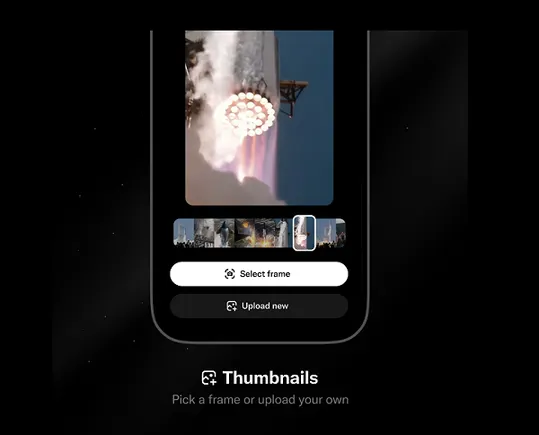
- Thumbnail choice Creators can select a frame from an uploaded video to use as its thumbnail.
- Video layouts X added text overlays and tools to adapt horizontal videos to vertical layouts.
X video creation tools now include caption, thumbnail, and layout options that creators can explore when preparing clips for the platform.
X’s video tools let creators adjust captions, thumbnails, and video layouts before publishing.
Why is X adding video creation tools?
X added new video creation tools on Friday as the platform continues to encourage uploads and increase in-app engagement.
X says video is the fastest-growing format in the app.
According to X, “Posts with video get 5x the reach and engagement, and 36% of all impressions now go to video.”
X video has been a focus since 2024, when the company reported that 4 out of 5 user sessions in the app included video consumption and overall video views were growing at a rate of 35% year-over-year.
Those figures help explain X’s video focus and why creators may want to test video clips to see how they perform in the app.
X’s video updates include improved captions, a video thumbnail selection option, and additional layout tools.
For captions, X says creators can now choose from more styles and colors, adding another design option for their videos.
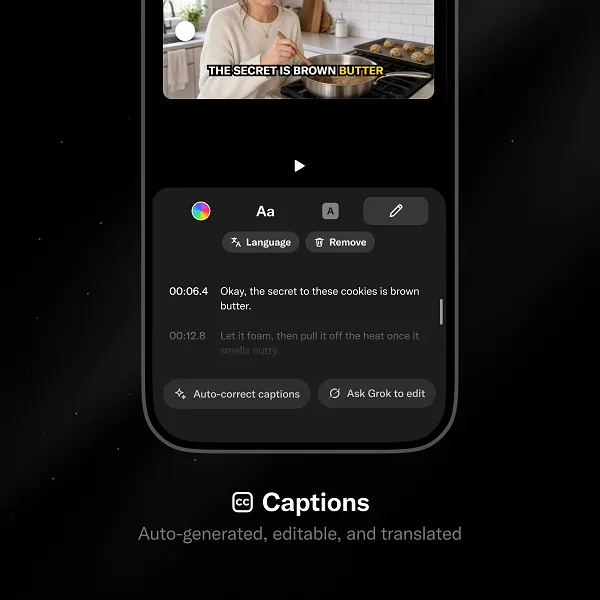
Video captions support accessibility and make videos easier to view in the X feed.
What caption options can creators use on X?
X captions support multiple languages and allow creators to edit text in the composer or ask Grok to correct it. The latest style and color choices add further customization.
X’s caption tools let creators customize and edit captions for videos.
X added multi-language captions, translated by Grok, in July, and also introduced an updated captioning process in October that includes manually editing captions in the composer or asking Grok to correct them.
These additions give creators more ways to work with captions in X’s video tools.
How can creators choose an X video thumbnail?
X now lets creators manually select a frame from an uploaded clip as its video thumbnail. Choosing a frame gives creators control over the image viewers see before playing the video.
X video thumbnails can be selected from frames in the uploaded clip.
Creators can now manually choose a thumbnail frame from an uploaded video clip.
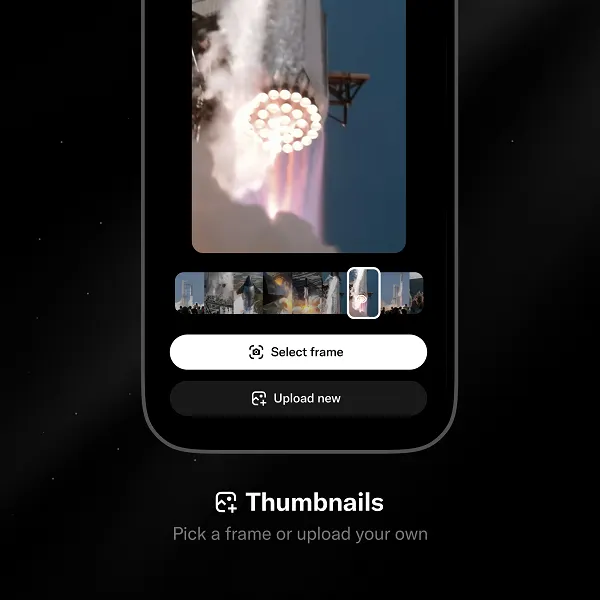
A selected thumbnail can help a video stand out in the X feed.
A compelling cover image can attract attention to a video. YouTube creator MrBeast reportedly pays up to $10,000 per thumbnail and generates up to 20 variations for consideration with each upload.
Thumbnail selection is another creative choice available to X video creators.
How do X’s video layout tools work?
X’s layout tools include text overlays and options for adapting horizontal videos to vertical viewing. The platform says creators can use Fill, Fade, or Stack when editing an upload.
Fill, Fade, and Stack are X’s named layout options for adapting video clips.
X also added more text overlay tools and new video layout options to help format clips.
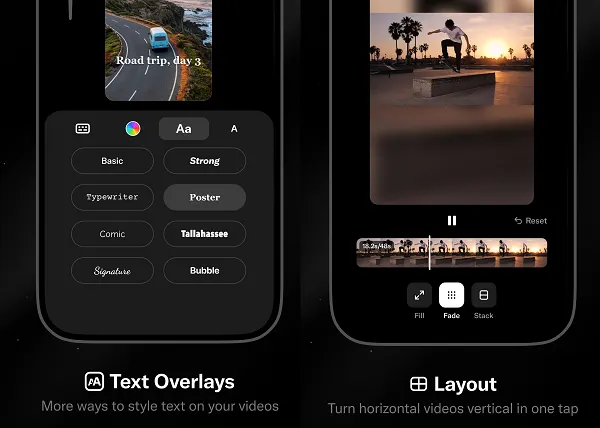
X explains: “Short videos play best vertical. They fill the whole screen, so viewers stay locked in. Now you can turn a horizontal video into a vertical one in one tap with Fill, Fade, or Stack. Just tap Edit when you upload.”
What other video features has X introduced?
X’s newer video features build on a revised video creation flow, work to make in-stream videos load faster, creator incentive programs, and tools for live streaming.
X’s video updates span video creation, playback, creator programs, and live streaming.
The latest tools build on X’s revised video creation flow. The company is also working to make in-stream videos load faster, has launched incentive programs for video creators, and has introduced new live-streaming tools.
Given the reported video engagement figures, creators can experiment with X video clips and assess how they perform in the app.
Common questions about X’s video tools
X’s video tools let creators adjust captions, thumbnails, and layouts. The answers below summarize the features described in the article.
X video creation tools offer editing options for captions, thumbnails, and clip layouts.
What video editing features did X add?
X added caption styles and colors, manual thumbnail selection, text overlays, and layout options called Fill, Fade, and Stack.
Can creators edit captions on X?
Creators can manually edit captions in the composer or ask Grok to correct them.
Can creators choose a video thumbnail on X?
Creators can manually select a frame from an uploaded clip to use as its thumbnail.
How can creators make a horizontal video vertical on X?
X’s video editor offers Fill, Fade, and Stack to adapt a horizontal video to a vertical layout.


 David Bridges
 Troy Sanders