 David Bridges


Understanding the Distinct Roles of Apple Wallet and Apple Pay
While Apple Pay and Apple Wallet are frequently mentioned together, they serve different purposes. Apple Wallet is an app on the iPhone, with a corresponding version for the Apple Watch, designed to function as a digital wallet. It securely stores digital representations of various items, including debit and credit cards, auto insurance cards, boarding passes, and identification documents. In contrast, Apple Pay is a digital payment service that enables users to complete transactions using the cards stored in their Apple Wallet, whether in physical stores or online.
When making in-store purchases with Apple Pay, simply tap your iPhone against an NFC terminal and double-click the Side button. Your device will then verify your identity with Face ID, Touch ID, or your PIN to finalize the transaction. For online purchases, using Apple Pay resembles platforms like PayPal; you select your card and authenticate your identity. Regardless of what you’re buying, Apple Pay facilitates the payment process using the cards saved in your Apple Wallet.
To payment cards, Apple Wallet can also store various items not linked to transactions, such as concert tickets and loyalty cards. This feature makes it a convenient and secure repository for easy access to important digital items.
How Does Apple Pay Function During Transactions?
Utilizing a payment card with Apple Pay encompasses more than just storing card information in Apple Wallet. Each card generates a unique Device Account Number (DAN) that is securely stored in the Secure Element, a dedicated chip within your device. This setup ensures the safe handling of sensitive data.
When you conduct a payment, Apple transmits the DAN along with a one-time security code specific to that transaction to the merchant. the store does not receive your actual credit or debit card number, and Apple’s servers do not retain any personal information or transaction history tied to you.
This security mechanism is also the reason for the authentication requirement when using Apple Pay. While Face ID may be inconvenient at tap-to-pay terminals, you can scan your face before approaching the NFC touchpoint. Alternatively, you can enter your passcode as a backup option. Online purchases also necessitate confirmation, whether you’re buying from the App Store, ordering food through an app, or making a purchase in Safari. Apple Wallet plays a role in the payment process, allowing you to select any stored card for your transaction.
You can view the last four digits of a card’s unique Device Account Number directly in Apple Wallet. To do this, open Apple Wallet, select a card, and tap the three-dot (…) button followed by Card Details. After authenticating with Face ID, you’ll find the Apple Pay last four digits displayed at the bottom, helping you distinguish Apple Pay transactions from other card usages.
What Is Apple Cash and How Does It Facilitate Person-to-Person Payments?
DenPhotos/Shutterstock
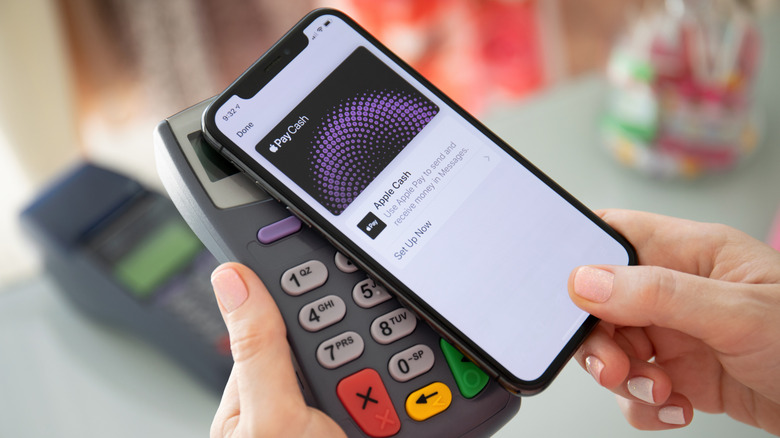
Apple Cash functions as a method for sending money to friends or family, integrating seamlessly with Apple Pay. With Apple Cash, you can send or request money via iMessage or directly through the Apple Cash card in your Wallet using the Tap to Cash feature. The process involves selecting a contact, entering the desired amount, and authenticating the transaction. Note that the recipient must have their phone number linked to an Apple Account to receive funds and must also be eligible for Apple Cash.
Once you receive money, it appears in an Apple Cash “card” located at the top of your Apple Wallet. From this interface, you can add funds using a debit card, set up recurring payments, or transfer the balance to your bank account. It is important to note that Apple Cash is not a universal payment platform; it only works for individuals with Apple devices. If you need to send money to someone using an Android device, you will need to utilize a different service, such as Venmo.
To summarize, while Apple Wallet and Apple Pay frequently function together, they are distinct and serve different purposes. Apple Wallet is your centralized digital storage for various payment options, Apple Pay allows you to make purchases, and Apple Cash enables you to send money directly to friends and family.


 Daniel Mercer