David Bridges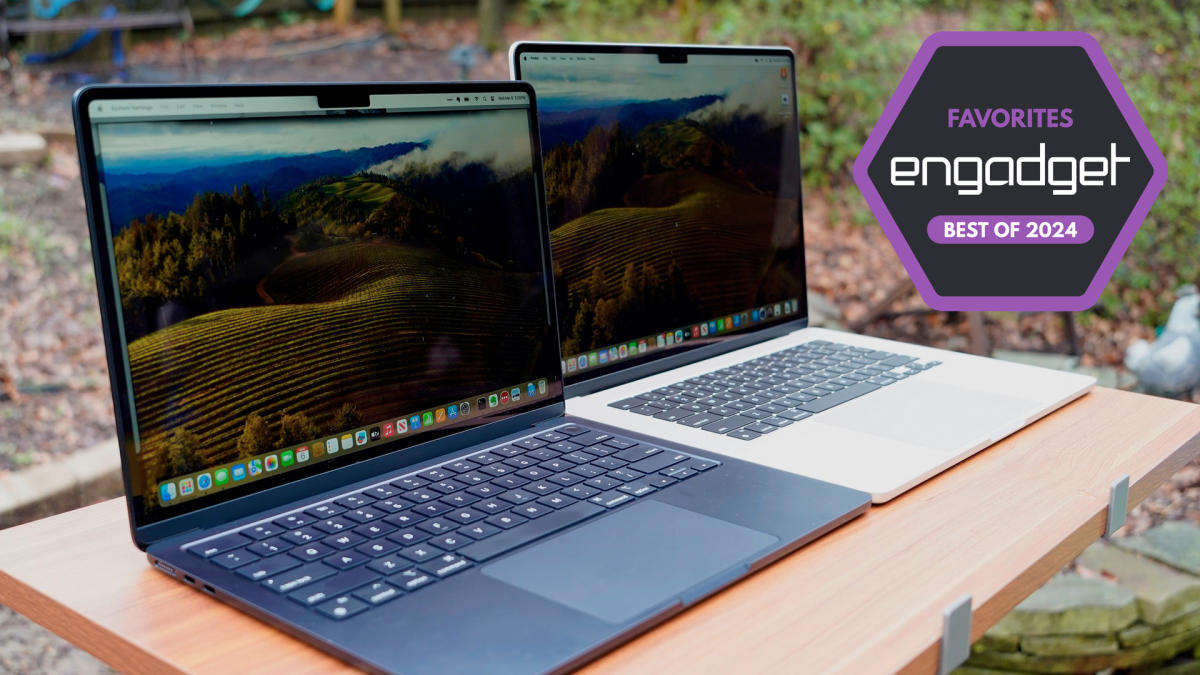

During the recent Worldwide Developers Conference (WWDC) held in June, Apple unveiled exciting updates across its operating systems, primarily focusing on its proprietary AI features known as Apple Intelligence. The upcoming macOS 15, named Sequoia, will be available for MacBooks equipped with the M1 chip or newer. This new operating system introduces Image Playground, Apple’s innovative image generation tool, along with advanced AI capabilities that can assist users in rewriting, proofreading, and summarizing text across applications such as Mail, Notes, and Pages. If you own a MacBook that predates 2020, or if you desire the latest advancements in computing technology, upgrading to a new MacBook could be a worthwhile investment. This comprehensive guide aims to assist you in selecting the model that best suits your requirements.
After an extensive evaluation of every model in Apple’s lineup, our top recommendation for most users is the 13-inch MacBook Air equipped with the M3 chip and 16GB of RAM. However, there are compelling reasons to explore the more affordable M2 Air and the feature-rich Pro laptops. We have meticulously analyzed all available options to help you determine which MacBook aligns with your needs and budget.
Key Considerations for Choosing the Ideal MacBook
When comparing Apple computers to PCs, you will notice that Apple’s devices typically feature more streamlined specifications, a hallmark of the brand’s design philosophy. This simplicity is further enhanced by the M-series “system-on-a-chip” architecture, which began with the now-retired M1 chip. The current generation includes the M2 and M3 chips, while the latest M4 chip is exclusively found in the new iPad Pro. All M-series chips integrate several technologies, including the CPU, graphics processor, and unified memory (RAM), alongside Apple’s specialized Neural Engine, which optimizes machine learning tasks such as image analysis and voice recognition. This integrated approach not only simplifies the selection process but also boosts performance across various applications.
Although the unified chip design reduces the complexity of choosing a MacBook, several critical factors still warrant your attention. These include specifications like the number of CPU cores, RAM capacity, storage options, screen dimensions, and, of course, the price point. While color finish may seem minor, it’s noteworthy that the Pro models are available only in Silver or Space Gray, while the Air models offer additional color choices like Midnight and Starlight, allowing for a more personalized touch.
Understanding the Importance of CPU Cores
The entry-level chip for MacBooks is currently the M2 found in the 13-inch MacBook Air, featuring an 8-core CPU and options for an 8-core or 10-core GPU. At the high end, the M3 Max chip boasts an impressive configuration with up to a 16-core CPU and a 40-core GPU. CPU cores are essentially smaller processing units capable of handling multiple tasks simultaneously. More cores enable your computer to efficiently manage various programs and applications concurrently while also excelling in demanding tasks such as video editing and high-level gaming. In essence, a higher core count translates to superior computing capabilities and enhanced performance. However, if your needs do not extend to professional gaming or intensive multimedia editing, opting for the most powerful chip may be unnecessary, as more cores typically lead to increased cost and energy consumption.
Choosing the Right RAM for Your MacBook
When it comes to RAM, or what Apple refers to as Unified memory, the options vary based on the chip selection. Both the M2 and M3 chips can be configured with 8, 16, or 24GB of RAM, while the M3 Pro offers memory choices of 18 or 36GB, and the M3 Max chip supports an astonishing 48, 64, or even 128GB of RAM. This variety enables users to select configurations that align with their performance needs.
To better understand memory, think of it as the workspace on your desk: the more surface area you have, the more projects you can tackle simultaneously. Conversely, storage refers to the drawers where you keep completed tasks for future reference. Hence, a larger workspace allows for greater multitasking, while ample storage enables you to save more files for later use.
Having more RAM is particularly advantageous for individuals who frequently operate multiple applications concurrently. As software becomes increasingly resource-intensive, the need for additional memory grows. Extra RAM is also beneficial for those who tend to keep numerous tabs open in their web browsers. If your daily tasks do not require extensive simultaneous use of memory-heavy applications, you might save some costs by choosing a RAM configuration that suits your actual usage.
For casual users, 8GB of RAM may suffice; however, if your budget allows, upgrading to 16GB is advisable, as modern browsers have high memory demands. Investing in additional RAM now can significantly extend the lifespan and reliability of your new MacBook. It’s also crucial to remember that, unlike most PCs, the RAM in current MacBooks is not user-upgradable. Therefore, it’s wise to choose a configuration that meets your anticipated needs from the outset.
Evaluating Storage Capacity: SSD Options
MacBook storage options start from 256GB SSD in the M2 MacBook Air and can go up to 8TB for the MacBook Pros with the M3 Max chip. If you frequently switch between various game titles or need to store numerous high-resolution videos, opting for increased storage is advisable. Conversely, if your work primarily revolves around browser-based and cloud applications, a smaller storage capacity may suffice. However, we recommend choosing a configuration with at least 512GB of storage, if financially feasible. Over time, the limitations of a 256GB machine become apparent, particularly since the operating system itself occupies a substantial portion of that space. Having 1TB will provide a more comfortable and spacious environment for data storage as your laptop ages.
Apple also announced new iCloud+ storage plans alongside the iPhone 15, offering subscriptions that allow storage capacities of up to 12TB. Alternatively, you can transfer files to an external storage device. Nevertheless, if you prefer immediate access to your files without the hassle of monthly subscriptions, it’s best to secure the maximum storage space your budget allows right from the start.
Choosing the Right Screen Size for Your Needs
Apple MacBooks come in various sizes, including 13-, 14-, 15-, and 16-inch options. While the differences may seem minor at first glance, as Engadget’s Nathan Ingraham observed during his review of the now-discontinued 15-inch M2 MacBook Air, a larger screen can make a significant difference in usability. This is especially true for users who intend to utilize their laptops for prolonged productivity without the aid of an external monitor. A larger display allows for more comfortable side-by-side window viewing and enhances the immersive experience for streaming or gaming.
Screen size also plays a crucial role in determining the device’s weight. For instance, the 13-inch MacBook Air M2 weighs in at just 2.7 pounds, while the larger 16-inch MacBook Pro weighs around 4.8 pounds. If you frequently travel or change work locations, a lighter, smaller screen option may be more practical for your lifestyle.
All MacBooks are equipped with IPS LCD panels, which Apple refers to as Retina displays. The MacBook Air M1 features a Retina display, while the M2 MacBook Air offers a Liquid Retina display, and the 14- and 16-inch MacBook Pros come with a Liquid Retina XDR display. The term “Liquid” describes the manner in which light is distributed across the display, filling the rounded corners and curving around the camera notch, while “XDR” denotes Apple’s high dynamic range (HDR) capabilities.
When compared to most other laptops, MacBook displays are exceptionally bright, sharp, and vibrant. One notable feature is Apple’s ProMotion technology, which refers to the higher 120Hz refresh rate that results in smoother scrolling and more fluid graphics. However, this feature is exclusive to the 14- and 16-inch MacBook Pros; the other models are limited to a 60Hz refresh rate, which is adequate for regular browsing and standard work tasks. If you seek an ultra-smooth display experience, you will need to invest in a Pro model.
Understanding the Price Range of MacBooks
With the launch of the MacBook Air M3, Apple has reduced the price of the base model 13-inch M2 MacBook Air, which now starts at $999, making it the most affordable new MacBook option available. On the other hand, you can opt for the high-end 16-inch MacBook Pro M3 Max, which can cost up to $7,199, featuring 128GB of RAM and 8TB of storage. The final price of a MacBook is influenced by factors such as chip type, screen size, memory, and storage capacity, underscoring the importance of guides like this one to help you navigate your choices and find the most cost-effective solution tailored to your needs.
We recommend the MacBook Air M3 for the majority of users, the MacBook Air M2 for students and budget-conscious individuals, and the 14- or 16-inch MacBook Pros for professionals who demand higher performance. If your budget allows for extras, consider upgrading to at least 16GB of RAM and 512GB of storage to ensure your device remains capable over time.
Top MacBook Recommendations for Every User
Photo by Devindra Hardawar / Engadget
Screen Size: 13” | Processor: M3 chip, 8-core CPU, 8-core GPU, 16-core Neural Engine | Storage Capacity (SSD): 256GB | Memory: 8GB | Battery Life: Up to 18 hours | Ports: MagSafe 3 charging, 3.5 mm jack, 2 x Thunderbolt/USB4 | Connectivity: Wi-Fi 6E, Bluetooth 5.3
Explore our comprehensive Apple MacBook Air (M3, 2024) review
The previous top pick in our laptop recommendations was the Apple MacBook Air with the M2 chip. The newly released M3 MacBook Air may not represent a drastic change from its predecessor, but that is a positive aspect. Our laptop expert, Devindra Hardawar, has confirmed that the latest MacBook Air builds upon the strengths of the M2 model, featuring a stunning display and full-bodied sound within a lightweight aluminum unibody that exudes premium quality.
Thanks to the integration of the M3 chip, performance has significantly improved, achieving remarkable scores in our benchmark tests. The new model also supports Wi-Fi 6E, enabling the connection of two external displays instead of just one, though this requires the laptop lid to be closed. You will connect additional screens via one of the two USB-C ports, both of which support Thunderbolt/USB4 standards. It’s important to note that only Pro models come with an HDMI port.
The latest Air maintains the sleek design of its predecessor, with a consistently thin profile that has replaced the previous wedge shape, which is no longer present in the Apple lineup following the discontinuation of the M1 MacBook Air. Apple claims that the battery life can last up to 18 hours for video playback and 15 hours for web browsing. We can attest that this model can easily last through a full workday without needing a charge. In Devindra’s testing, the battery dropped to 40 percent after ten consecutive hours of playing fullscreen 4K video at maximum brightness.
Apple launched both the M3-powered 13-inch and 15-inch MacBook Air models simultaneously, and we believe the 13-inch version offers the best mix of portability and performance. Weighing only 2.7 pounds, it conveniently fits into any bag for on-the-go use. However, the 15-inch variant may be more suitable for users who regularly have multiple windows open or engage in media editing. On the other hand, professionals focused on intensive editing should consider the MacBook Pro equipped with the M3 Pro chip. The 15-inch model also caters to individuals with visual impairments who may benefit from a larger, more readable screen.
The 13-inch model features a Liquid Retina display with a resolution of 2,560 x 1,664 at 224 pixels per inch, which is identical to that of the M2 Air. Apple has chosen to maintain this excellent display, which is bright enough for outdoor use. It’s worth noting that it does not support ProMotion technology, limiting the refresh rate to 60Hz. Should you require a smoother scrolling experience, an upgrade to a MacBook Pro is necessary.
To harness the full potential of the new M3 chip, we suggest upgrading to 16GB of RAM. This configuration will not only support a full day of productivity but also facilitate smoother gameplay for more demanding titles. Devindra successfully ran both Lies of P at 1080p+ and the director’s cut of Death Stranding with excellent graphics at respectable resolutions, although he noted that ultra-high graphics settings may not be feasible. The speakers are top-tier, and the webcam delivers excellent quality for video conferencing, especially with Apple’s background blurring and brightness enhancements. Additionally, the responsive keyboard and smooth trackpad create an ideal user experience, culminating in an outstanding laptop.
- Lightweight yet sturdy design
- Fast performance from the M3 chip
- Excellent speakers, keyboard, and trackpad
- Bright and clear screen
- No USB-C on the right side
- Limited to 60Hz refresh rate
$898 at Amazon


 Daniel Mercer
 Ethan Carter