Roku’s Secret Menu: How to Unlock It and Explore Features

Spread the love

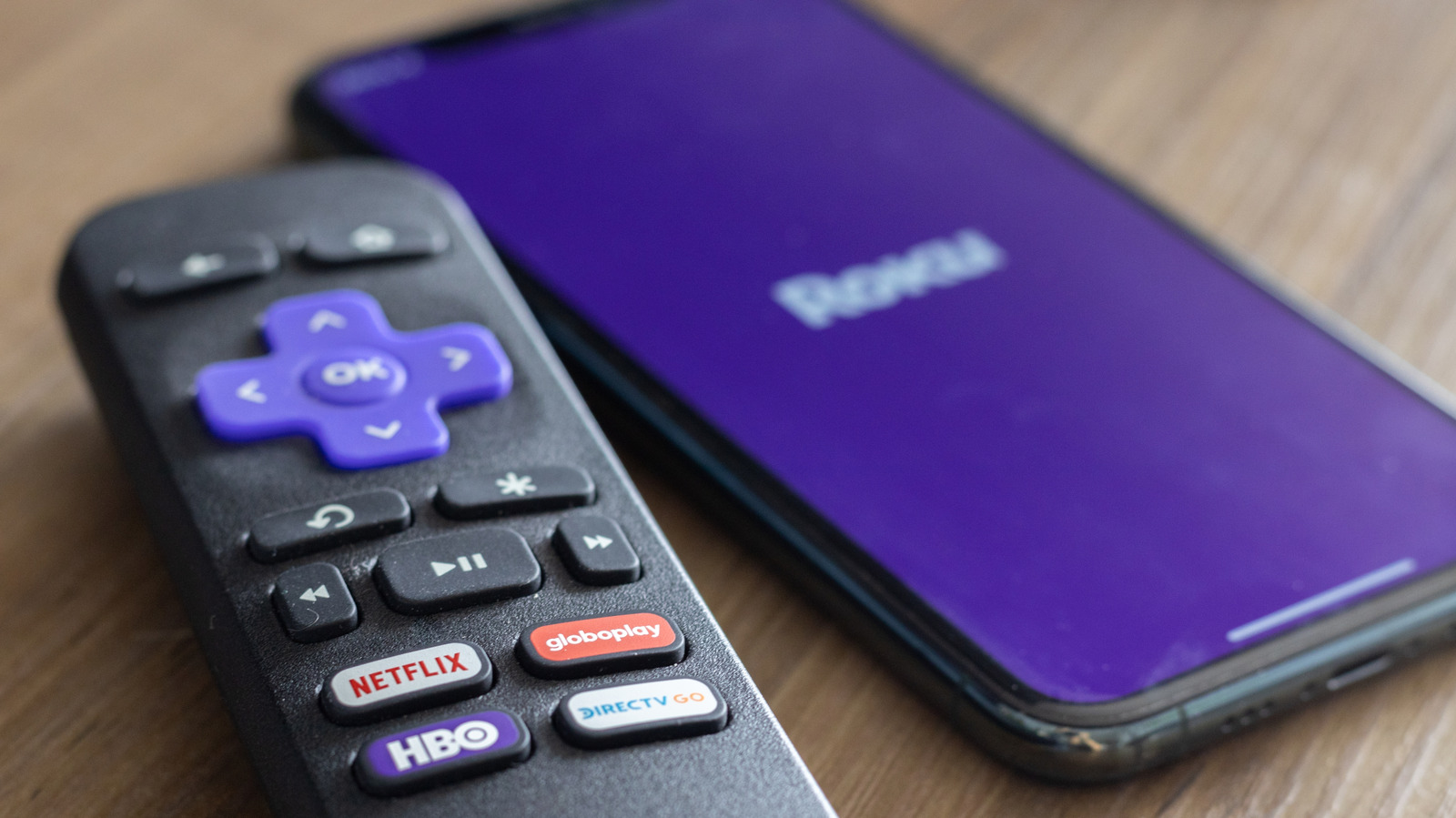
One of the most valuable features of Roku devices is the developer menu, which provides access to essential Developer Settings. This menu allows users to manage their developer account and install custom applications. To open the developer menu, simply press Home × 3 > Up × 2 > Right > Left > Right > Left > Right.

If you need to check your Network Settings, you can use a different shortcut. This menu lets you evaluate your internet connection, activate bandwidth saver mode, and find both your IP and MAC addresses. To access this menu, press Home × 5 > Right > Left > Right > Left > Right. For those wanting to examine their wireless connection in greater detail, the Wireless Secret Screen provides insights into signal strength and glitch rates, as well as options to run speed tests and reset your network. To access this screen, press Home × 5 > Up > Down > Up > Down > Up.

Roku also features a Secret Screen 2 menu for managing your advertising experience. This menu allows you to cycle through different image services, adjust screenshot output formats, and modify ad channels. To access Secret Screen 2, press Home × 5 > Up > Right > Down > Left > Up. Keep in mind that a device restart may be necessary for any changes to your ad preferences to take effect.

Another useful feature is the Platform Secret Screen, which offers detailed operational information. You can monitor memory usage, remote battery levels, and device temperature. This menu also provides advanced diagnostics, such as IPv6 settings and remote button usage. To access the platform menu, press Home × 5 > Fast Forward > Down > Rewind > Down > Fast Forward.

See also  The Second Act: Major Update for Rogue Prince of Persia

You can also delve into your Roku’s HDMI Settings. This menu allows you to adjust inputs, verify the refresh rate, and monitor resolution performance. Access this HDMI screen by pressing Home × 5 > Down > Left > Up > Up > Up.

To check the versions of applications like Netflix or Kanopy installed on your Roku, navigate to the Channel Info Menu. This menu is essential for troubleshooting, uninstalling, or rebooting apps on your Roku device. To visit the Channel Info menu, simply press Home × 3 > Up × 2 > Left > Right > Left > Right > Left.

Among these screens, the device reset and update screen stands out as particularly important. By pressing Home × 5 > Fast Forward × 3 > Rewind × 2, you can access a secret screen to initiate a factory reset of your Roku. This option is especially helpful if your streaming apps freeze, your startup screen hangs, or you encounter other software issues. You can also perform software updates and test your USB port from this screen. For a quicker restart, press Home × 5 > Up > Rewind × 2 > Fast Forward × 2 to reboot your device immediately.

For the original content, including photos and images used in this article, please visit this link. We acknowledge that the original authors have provided this information, and it is used here solely for informational purposes with proper attribution.

  • David Bridges

    David Bridges

    David Bridges is a media culture writer and social trends observer with over 15 years of experience in analyzing the intersection of entertainment, digital behavior, and public perception. With a background in communication and cultural studies, David blends critical insight with a light, relatable tone that connects with readers interested in celebrities, online narratives, and the ever-evolving world of social media. When he's not tracking internet drama or decoding pop culture signals, David enjoys people-watching in cafés, writing short satire, and pretending to ignore trending hashtags.

    Related Posts

    Money Robot Submitter Review 2026: Is This Backlink Automation Tool Worth It?

    Spread the love

    Spread the love Share It: ChatGPT Perplexity WhatsApp LinkedIn X Grok Google AI Money Robot Submitter Review 2026 Money Robot Submitter Review: Powerful Backlink Automation — But Is It Worth…

    Read more

    Wicker 4DX Extended Run: Basketheads Rejoice!

    Spread the love

    Spread the love Share It: ChatGPT Perplexity WhatsApp LinkedIn X Grok Google AI What began as a one-night-only event has transformed into an extended theatrical experience. Black Bear has announced…

    Read more

    Leave a Reply

    Your email address will not be published. Required fields are marked *

    You Missed

    Trick or Treat on the Square Delights Kids with Halloween Cheer

    Trick or Treat on the Square Delights Kids with Halloween Cheer

    Money Robot Submitter Review 2026: Is This Backlink Automation Tool Worth It?

    Money Robot Submitter Review 2026: Is This Backlink Automation Tool Worth It?

    Dolly Parton’s Niece Dismissed Amid Estate Dispute at Museum

    Dolly Parton’s Niece Dismissed Amid Estate Dispute at Museum

    Reddit Stock Plunges 30% Amid Dire Outlook, Faces Record Losses

    Trick or Treat on the Square Delights Kids with Halloween Cheer

    Wicker 4DX Extended Run: Basketheads Rejoice!

    Wicker 4DX Extended Run: Basketheads Rejoice!

    GeoGuessr Challenge Answer for October 30, 2026

    GeoGuessr Challenge Answer for October 30, 2026

    Savannah and 56-Year-Old Jason Galanis Expecting a Baby

    Savannah and 56-Year-Old Jason Galanis Expecting a Baby

    tvOS 27.2 Features for an Enhanced Apple TV Experience

    tvOS 27.2 Features for an Enhanced Apple TV Experience

    User Growth in Q3: Pinterest’s Impressive Surge

    User Growth in Q3: Pinterest’s Impressive Surge

    Former Prince Andrew Under Police Investigation for Epstein Visit

    Former Prince Andrew Under Police Investigation for Epstein Visit