 Daniel Mercer


What to know before choosing the Acer Predator Atlas 8
- Price change: The Acer Predator Atlas 8 launched at $1,300 and later rose to $1,450.
- Gaming performance: Its Intel Arc G3 Extreme chip outperforms the Asus ROG Xbox Ally X20 in the review’s comparisons, but battery life remains short in demanding games.
- Controls and display: The handheld combines comfortable ergonomics, TMR joysticks, and a bright 8-inch screen with a mushy D-pad and uneven speakers.
- Storage limits: The 512GB SSD leaves little room for a large game library, so expandable storage is useful.
This review assesses the Acer Predator Atlas 8 as a Windows gaming handheld, covering its price, performance, battery life, controls, and software to help you compare it with similarly priced devices. The central trade-off is clear: strong mobile gaming performance comes with software frustrations, limited storage, and short battery life in demanding games.
The Acer Predator Atlas 8 pairs powerful mobile gaming hardware with uneven software and limited battery endurance.
I still love handheld gaming PCs, even when they are hard on my budget. The latest example is the Acer Predator Atlas 8, which briefly looked like a strong value among powerful handhelds before its price increased. That change makes the device harder to recommend without weighing its performance against its cost.
The Predator Atlas 8 launched on November 1 for $1,300 and now costs $1,450. The increase is modest relative to an already high four-figure price, but it shows why a manufacturer’s suggested retail price, or MSRP, may not remain stable. Buyers should compare the current price with the device’s performance and limitations rather than relying on its launch price.
Acer Predator Atlas 8
Despite software issues, the Predator Atlas 8 suits buyers who prioritize mobile gaming performance over battery life.
- Comfortable ergonomics
- TMR joysticks
- Bright screen
- Faster performance than Ryzen Z2 Extreme
- Effective cooling
- Mushy D-pad
- Inconsistent speakers
- Software hangups
- Limited battery life across power modes
- Price increase after launch
Windows 11 makes handheld PC gaming awkward because the operating system is not designed around small touchscreens and gamepad controls. The Predator Atlas 8 has some of the same friction as competing devices, along with less generous memory and storage for its price: it includes 24GB of LPDDR5X RAM and a 512GB SSD. A microSD card can expand the available space for a larger Steam library.
Performance is the main reason to consider the Predator Atlas 8. The MSI Claw 8 EX AI+ pairs 32GB of RAM and 1TB of storage with an Intel Arc G3 Extreme chip, but its listed price is $1,800; some lower-performance Claw 8 models cost b,600. The Asus ROG Xbox Ally X costs $1,000 and offers more storage, but the review found it slower than the Acer. At $1,300, the ROG Xbox Ally X20 offers excellent controls, feel, and screen quality, though its frame rates fall short of the Acer’s.
Choosing among handhelds priced above $1,000 means balancing performance, comfort, power use, software, and cost. The Predator Atlas 8 may suit buyers seeking a middle ground, but its strengths need to be considered alongside its short battery life and storage limits.
What software problems affect the Acer Predator Atlas 8?
The Predator Atlas 8 runs Windows 11 with Acer’s PredatorSense software, and the combination can make basic handheld controls less convenient. The device also has issues with sleep behavior, settings, and access to graphics drivers.
Windows 11 is not built specifically for handheld screens and gamepad controls.
Windows 11 has long complicated the handheld PC experience. Microsoft has moved some gaming functions into the Xbox app, while manufacturers such as Acer must also provide software for device-specific settings, including TDP (thermal design power) and RGB lighting. Each layer can add friction to an operating system that was not designed primarily for handheld use.
The Predator Atlas 8 falls behind devices from Lenovo, Asus, and MSI in some everyday software details. To put the handheld to sleep, you need to press and release the power button after holding it for a moment. Holding it too long can trigger shutdown instead, making the sleep process less straightforward than a single press.
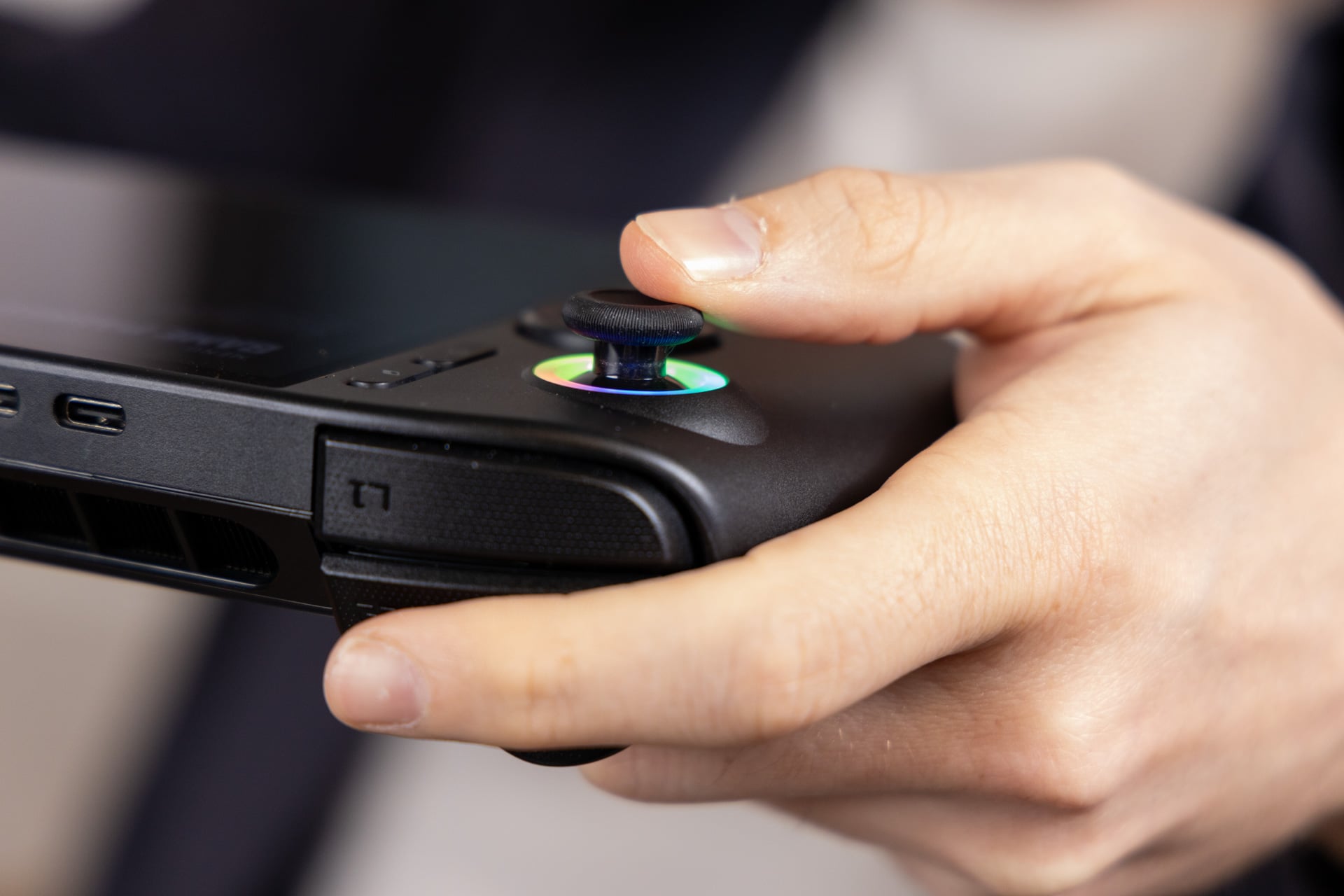
Other behavior is less controllable. When the screen times out, the RGB lights continue blinking and the fans can spin up, even when the display is off.
PredatorSense also makes manual power adjustments less convenient. The quick menu did not allow manual TDP changes during testing, so the full PredatorSense app was needed. Intel graphics drivers were not available through a settings menu either; they required the separate Intel Graphics Software app. The reviewer encountered a similar driver process on the MSI Claw 8.
Acer does include Intel Endurance mode, which limits frame rates to help extend battery life, and a XeSS Frame Generation Override for games that support the 1x XeSS frame-generation option. These features add useful controls, although they do not resolve the broader software inconsistencies.
The overall software experience remains uneven. The device sometimes failed to retain settings between sleep and wake, including the performance monitor, which had to be enabled repeatedly during testing.
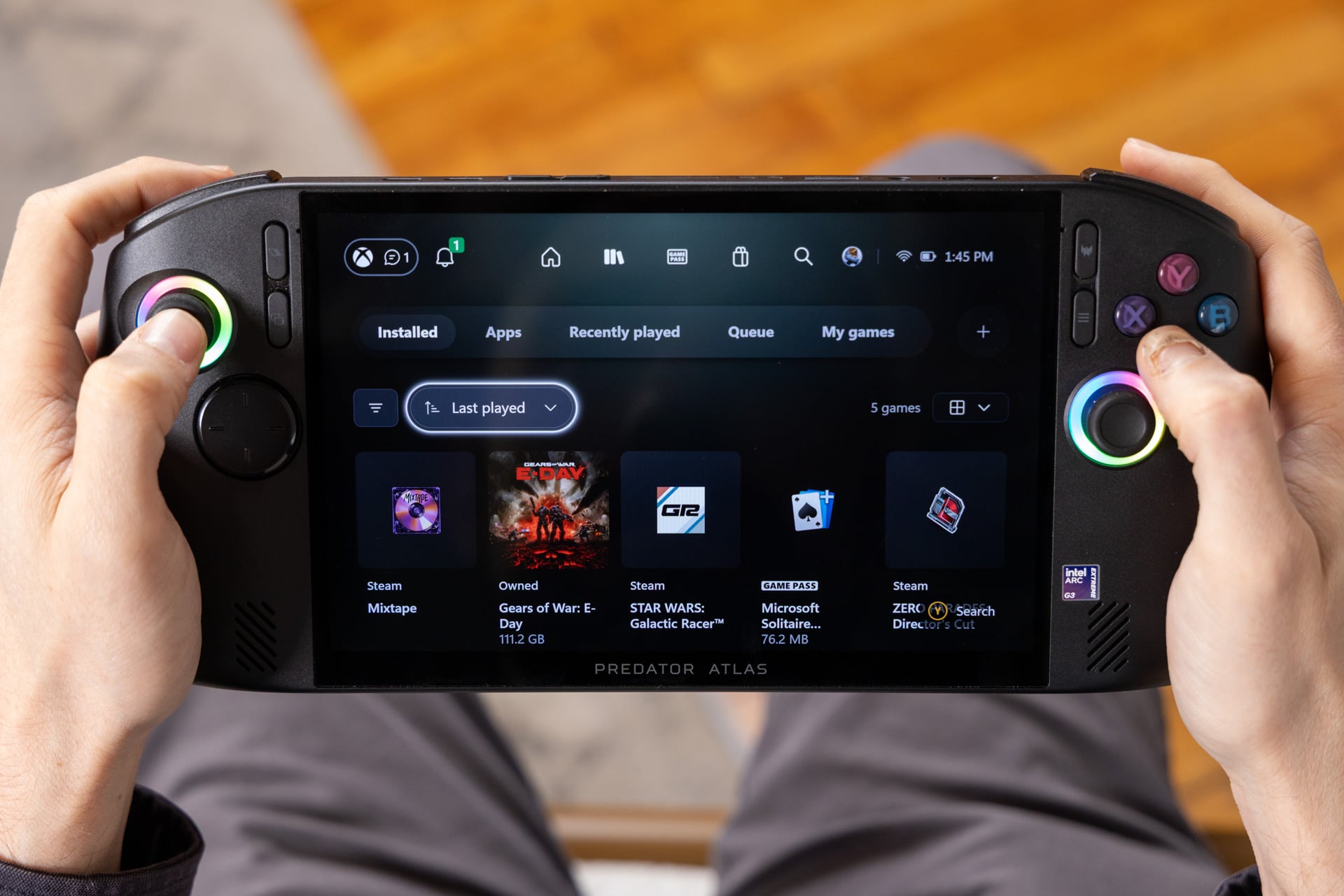
Microsoft also updated its Xbox PC app around the time of the Predator Atlas 8’s release. Its console-like menus are easier to use than the older Windows full-screen experience.
The refreshed Xbox app makes finding games simpler, but it is not a replacement for Steam. In testing, the app sometimes required a touchscreen tap before responding to gamepad input, and it lacks some of Steam’s social and customization features. SteamOS support had reached the MSI Claw 8, but support for the Predator Atlas line was not established.
How comfortable are the controls on the Predator Atlas 8?
The Predator Atlas 8 has a comfortable grip, responsive-feeling TMR joysticks, and programmable rear buttons, but its D-pad is soft and imprecise. The control layout is a good fit for many games, though less appealing for titles that rely on directional-pad input.
The Predator Atlas 8 pairs comfortable ergonomics with a mushy D-pad.
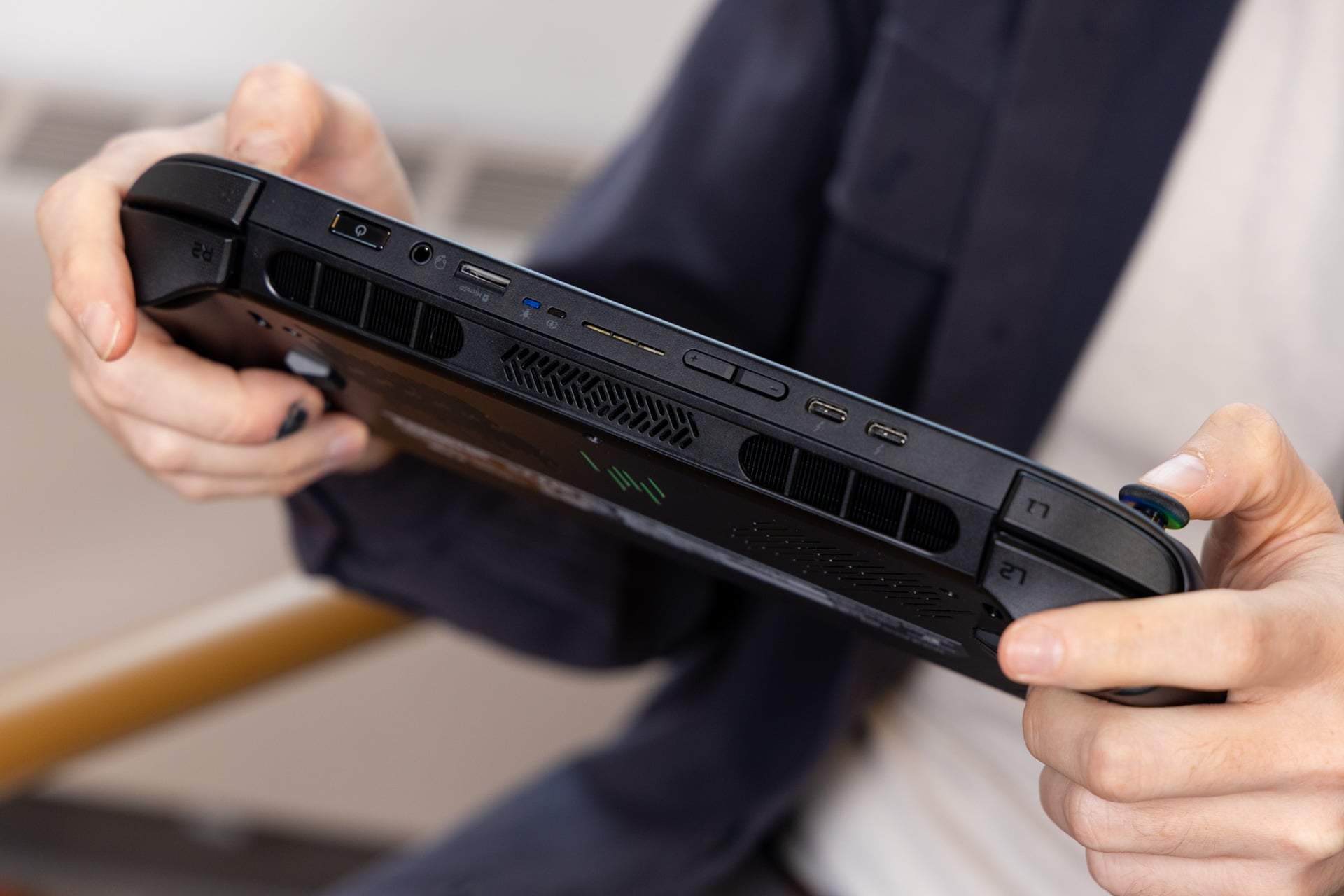
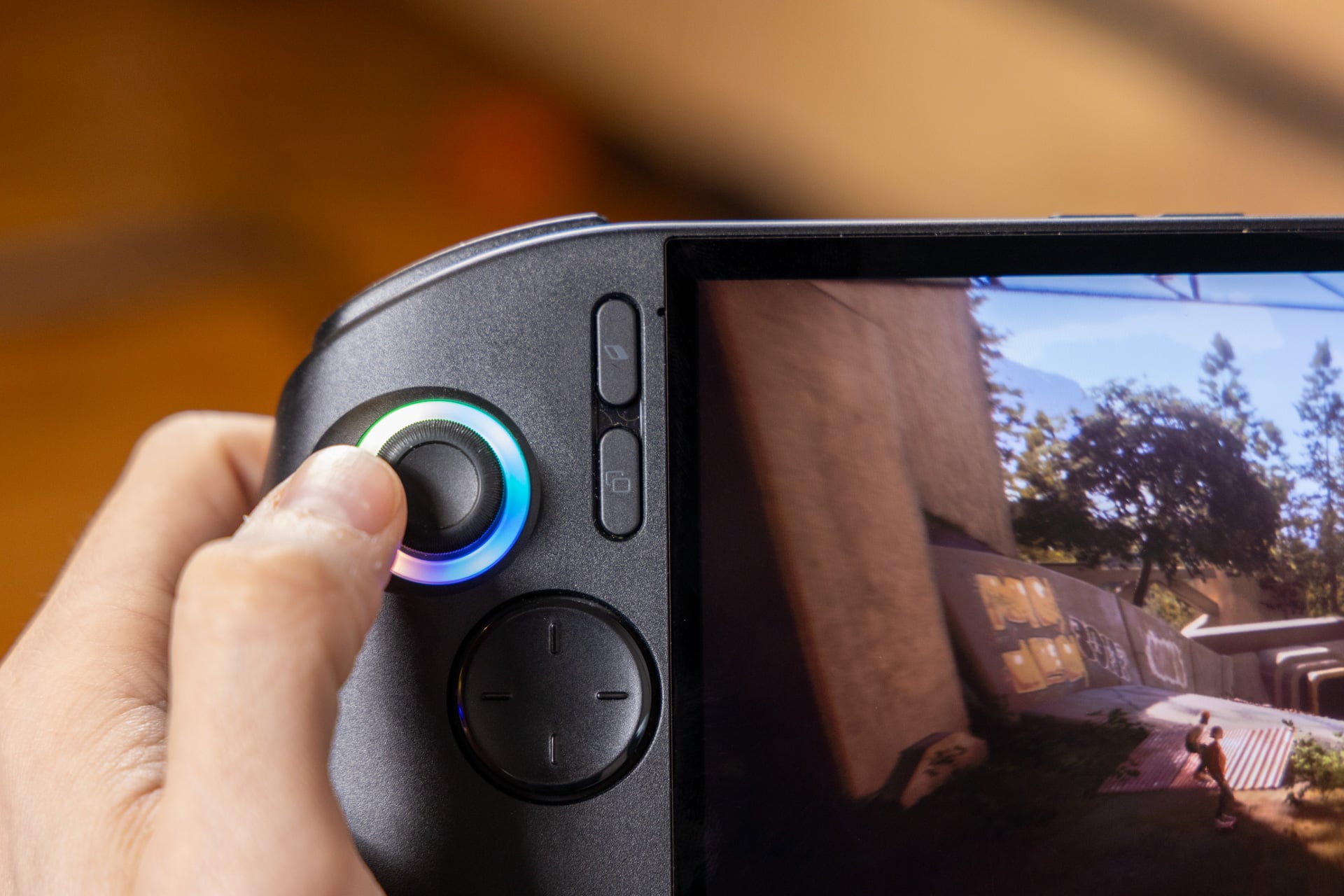
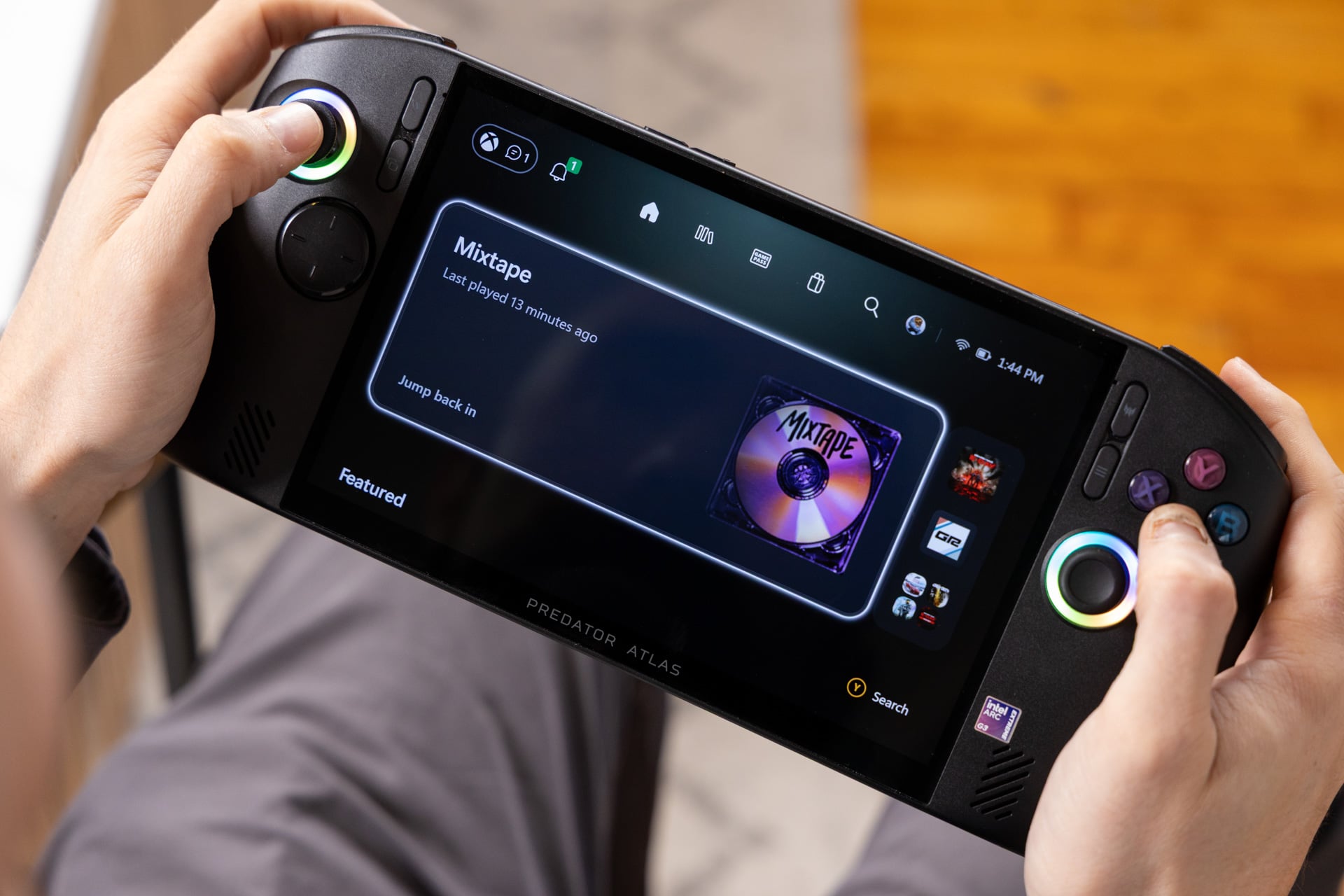
The large, rounded body of the Predator Atlas 8 recalls the Lenovo Legion Go S in shape, but its grip is especially comfortable. The flared handles let the fingers rest naturally, without requiring awkward reaches for the face buttons or other controls.
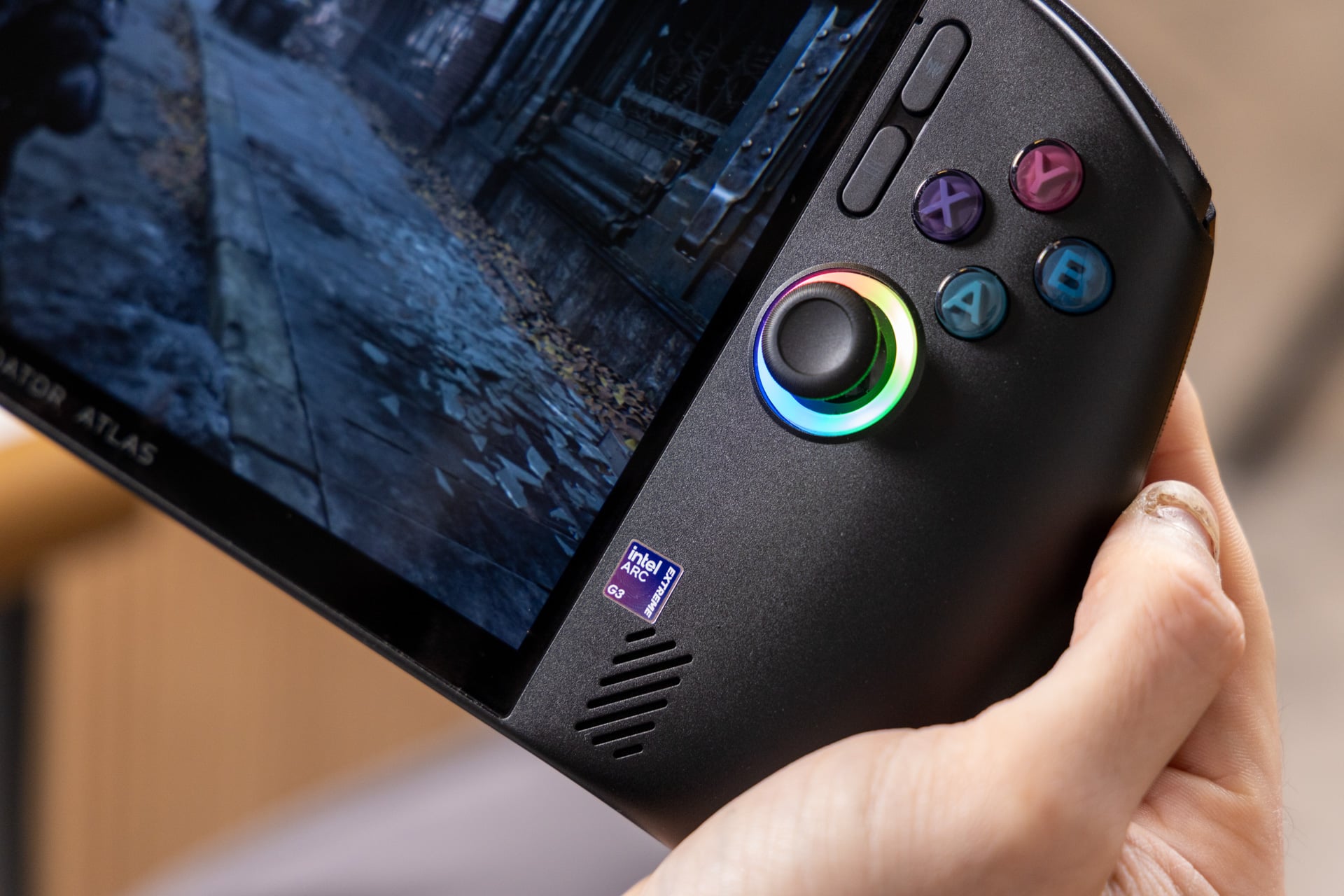
Compared with the Asus ROG Xbox Ally X and Xbox Ally X20, the Predator’s face buttons have a more domed shape. The right-side B button follows the curve of the grip, avoiding some of the sharpness the reviewer noticed on the Xbox Ally X at launch.
The TMR thumbsticks use tunneling magnetoresistance, a position-sensing method based on changes in electrical resistance. This design is intended to reduce the risk of stick drift, where a controller registers unintended movement. The sticks also feel less spindly than the Hall effect sticks on the MSI Claw 8.
Two programmable rear buttons sit beside trigger switches. The switches let you choose between traditional analog triggers and a shorter actuation point for faster input. They do not turn the triggers into micro switches, so the choice largely comes down to personal preference and the games you play.
The main control drawback is the D-pad. Its broad, flat surface has small ridges to indicate direction, but it feels mushy and is less suited to classic or retro games that depend on precise directional input. In other games, the joystick may be the more comfortable option.
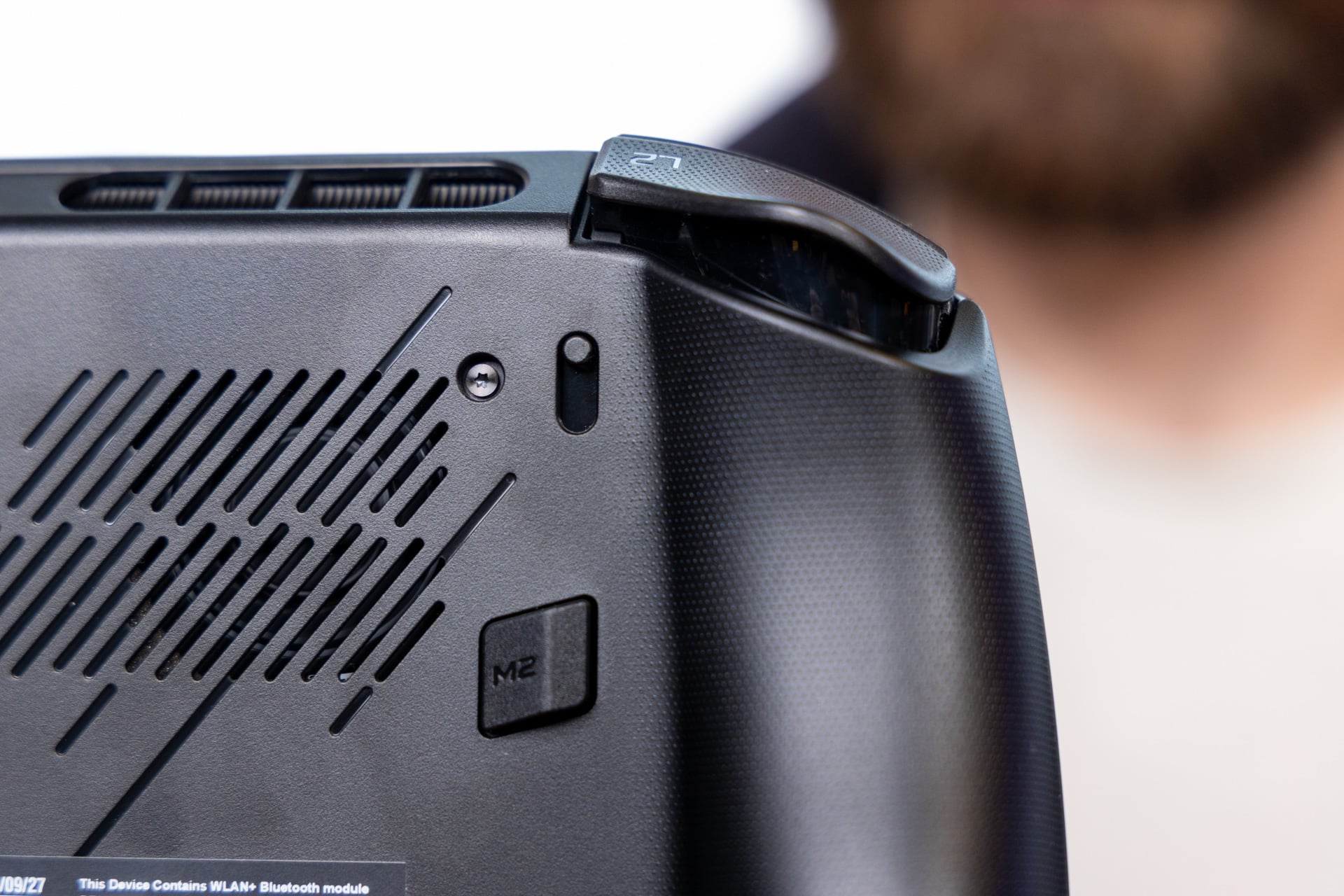
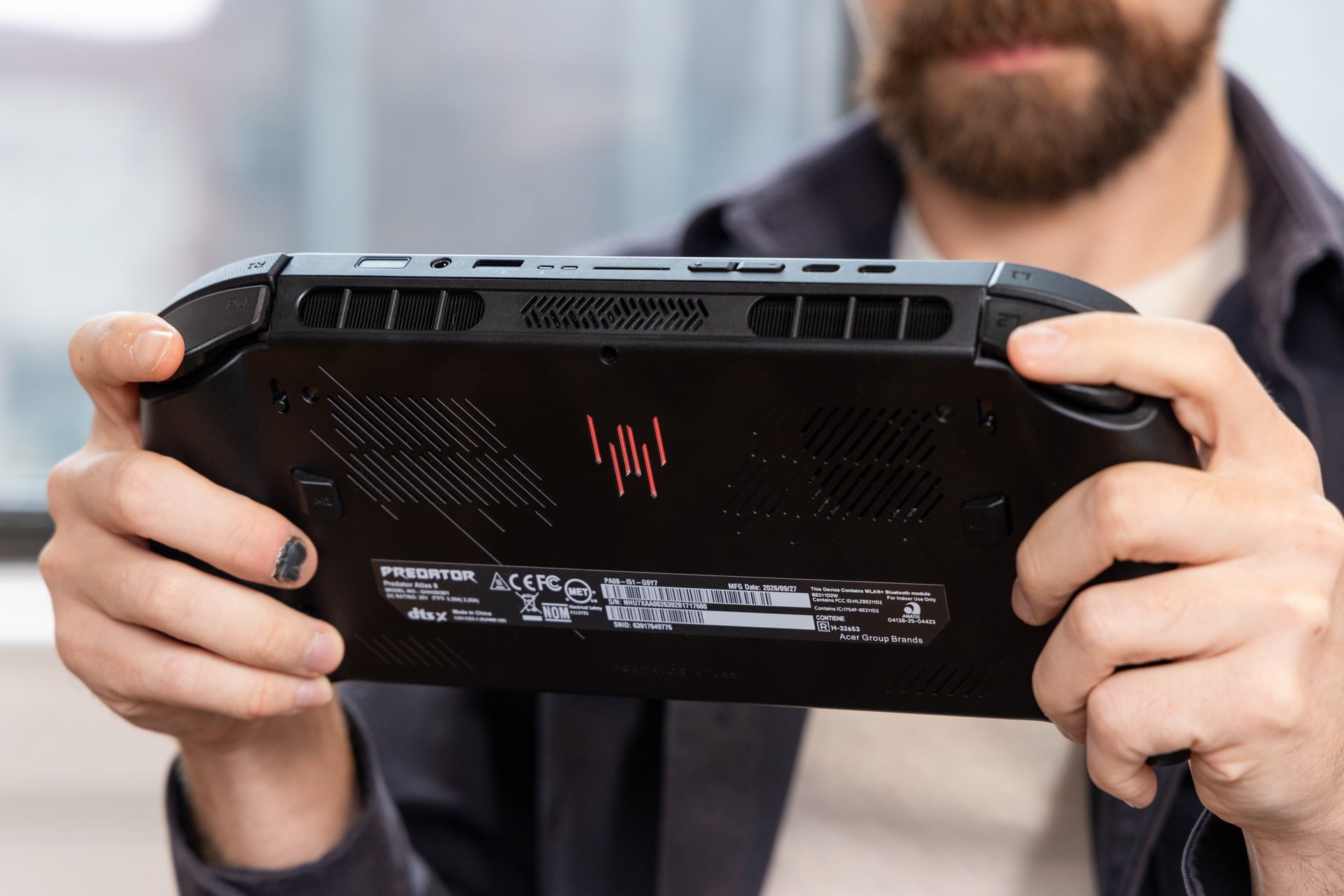
The port selection includes two top-mounted Thunderbolt 4 USB-C ports, which can connect to an external GPU, as well as a headphone jack, fingerprint reader built into the power button, volume buttons, and microSD slot. Unlike the MSI Claw 8, which requires the faster and more expensive microSD Express standard, the Predator supports regular microSD cards.
Is the Predator Atlas 8’s 8-inch screen and size right for you?
The Predator Atlas 8 is a larger handheld with a bright 8-inch display, but it weighs more than several competing models. Its screen and comfortable grip may suit players who value a larger image, while its weight and speakers are worth considering before choosing it.
The Predator Atlas 8 combines an 8-inch screen with a weight of 1.9 pounds.
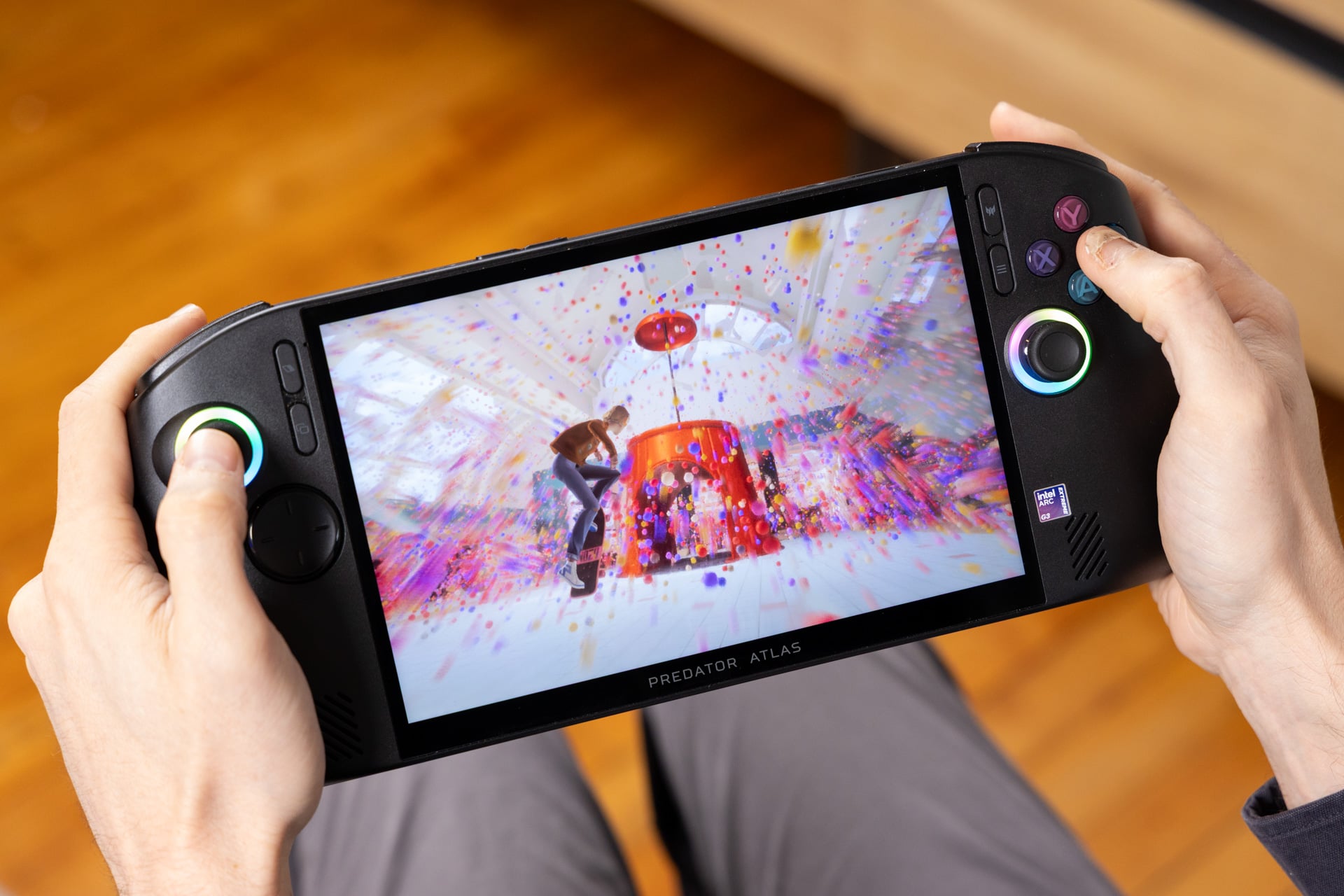
Handheld gaming PCs generally use screens around 7 inches or 8 inches, with small variations. Players who prefer a larger display may favor the IPS LCD panel on the Predator Atlas 8.
The display reaches 1200p resolution and a 120Hz refresh rate, and it supports variable refresh rate to reduce screen tearing. It is bright and capable, though the reviewer found it familiar rather than distinctive compared with screens on the Legion Go S and MSI Claw 8.
The speakers are less consistent. Some sounds, including Steam Big Picture Mode effects, came across as crackly, and audio could sound thin at low volume. Higher volume improved the sound, but headphones or earbuds were preferable even with DTS Virtual:X Audio support.
The Predator Atlas 8 weighs 1.9 pounds, compared with 1.6 pounds for the Lenovo Legion Go S and 1.7 pounds for the MSI Claw 8. The smaller Asus ROG Xbox Ally X20 requires less forearm strength. The Acer felt comfortable to hold while seated, but less suitable for playing upright without somewhere to rest the elbows.
The Lenovo Legion Go 2 is heavier at 2.38 pounds, despite its 8.8-inch OLED display. The Xbox Ally X20 also offers an OLED screen. Comparing these options means deciding whether screen size and display type matter more than weight, gaming performance, and the games you want to play.
How much faster is the Predator Atlas 8 in games?
The Intel Arc G3 Extreme in the Predator Atlas 8 delivered roughly 30% to 40% higher performance on average in the review’s comparisons. The practical result varies by game, graphics settings, power level, and upscaling support.
In the reviewed comparisons, the Predator Atlas 8 delivered higher frame rates than the ROG Xbox Ally X20 at the same TDP.
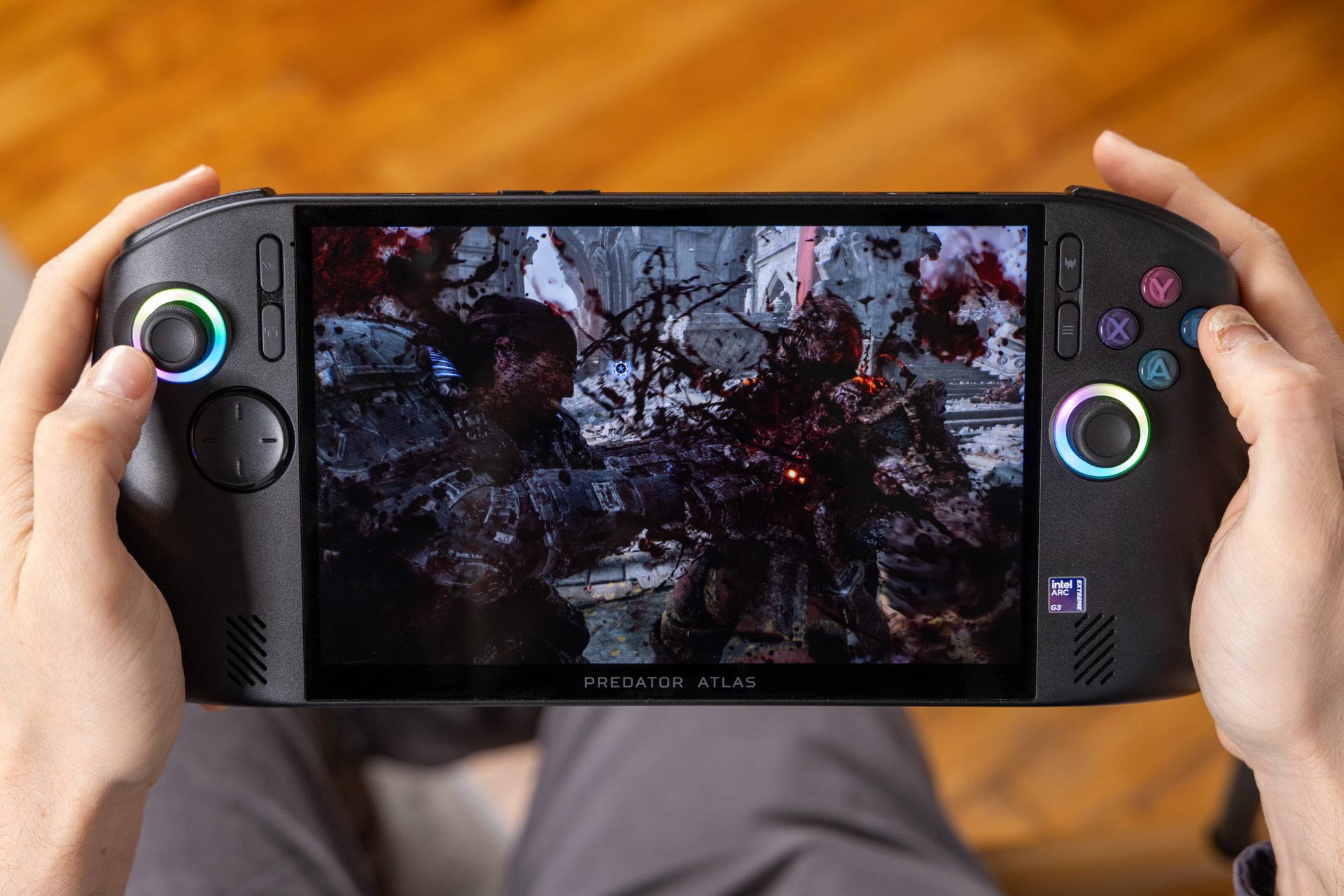
At its original $1,300 price, the clearest comparison was the Asus ROG Xbox Ally X20; even after the Acer’s price increase, the two remain useful points of comparison. At the same TDP, the Predator Atlas 8 ran games faster, sometimes allowing higher graphics settings, better frame rates, or both.
Across the review’s benchmarks, the Intel Arc G3 Extreme averaged a 30% to 40% performance advantage. In Cyberpunk 2077, that difference meant about 40 fps at 1080p with the Steam Deck graphics preset on the comparison system, versus close to 60 fps on the Predator Atlas 8.
In Forza Horizon 6, the ROG Xbox Ally X20 reached about 37 fps on high settings at 1080p, while the Predator Atlas 8 approached 50 fps. Intel XeSS upscaling can further help in supported games, although Intel’s supported-game catalog is smaller than AMD’s or Nvidia’s. The reviewed games Star Wars: Galactic Racer and Gears of War: E-Day support XeSS.
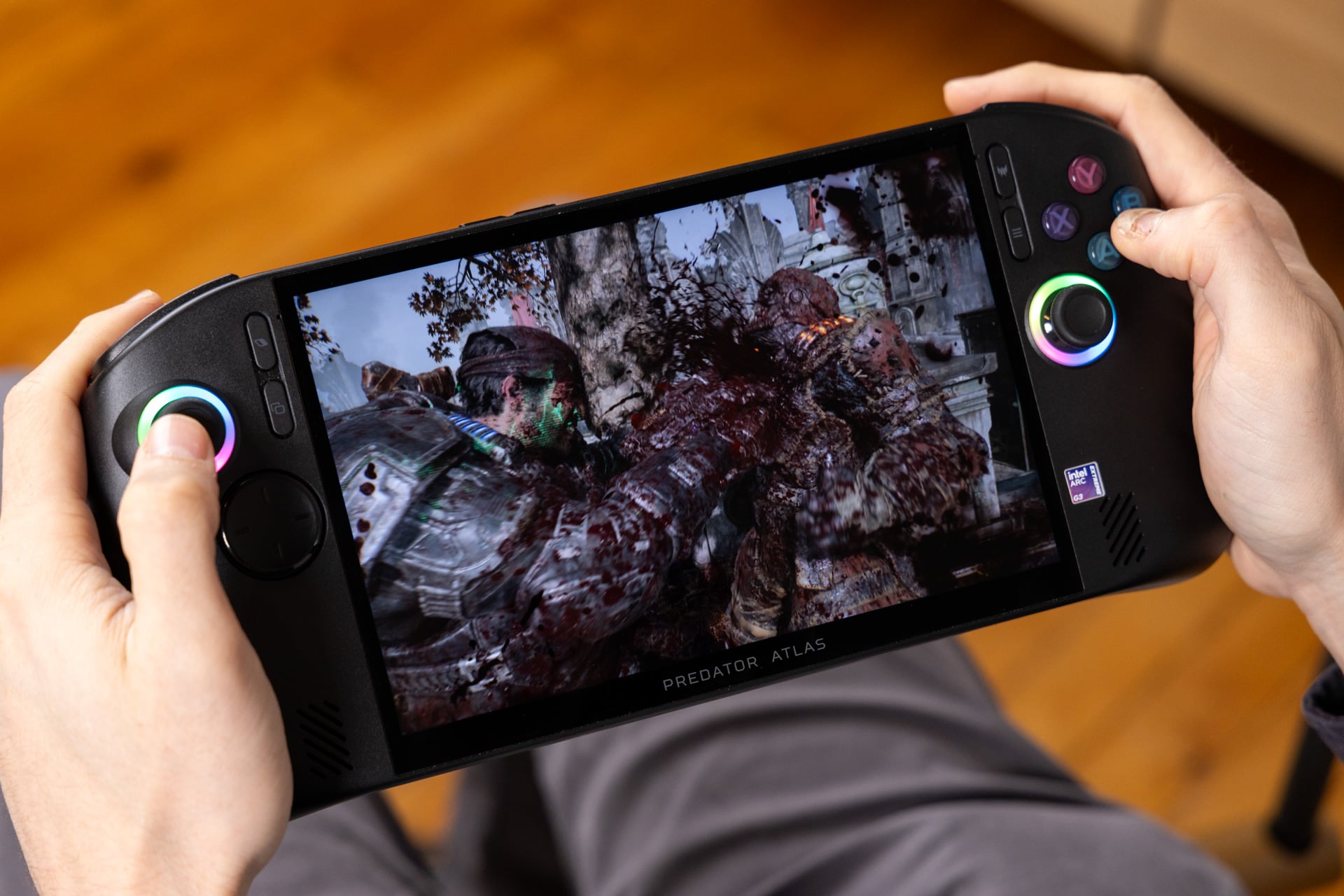
Upscaling was important for keeping demanding games playable. With upscaling and medium settings, Gears of War: E-Day averaged 45 fps on the Predator Atlas 8. The Asus Xbox Ally X handhelds managed around 30 fps with FSR enabled.
AMD Ryzen Z2 Extreme handhelds gained support for FSR 4.1 in place of FSR 3. The update focuses more on image quality than raw speed, and may bring a small performance increase in some games; in the review’s comparisons, the Intel chip remained faster.
The Predator Atlas 8’s weight may reflect its cooling hardware, which includes two fans, one of them metallic. Acer’s 89-blade AeroBlade fan is part of the system, and the reviewer observed that the cooling design helped sustain performance over time.
At 35W TDP, the MSI Claw 8 and Predator Atlas 8 delivered similar benchmark performance. The Acer’s stronger cooling may help maintain better 1% lows, reducing severe frame-rate dips, while the Claw 8 can reach higher performance metrics at its maximum TDP.
Do the Predator Atlas 8 power modes improve battery life?
The Predator Atlas 8 supports up to 40W TDP while plugged in, but its preset power modes made little difference to total power use in testing. Demanding games lasted less than two hours at higher settings, while manually lowering TDP to 10W extended runtime to more than five hours in suitable games.
The Predator Atlas 8’s battery life depends heavily on manual TDP adjustment and game demands.
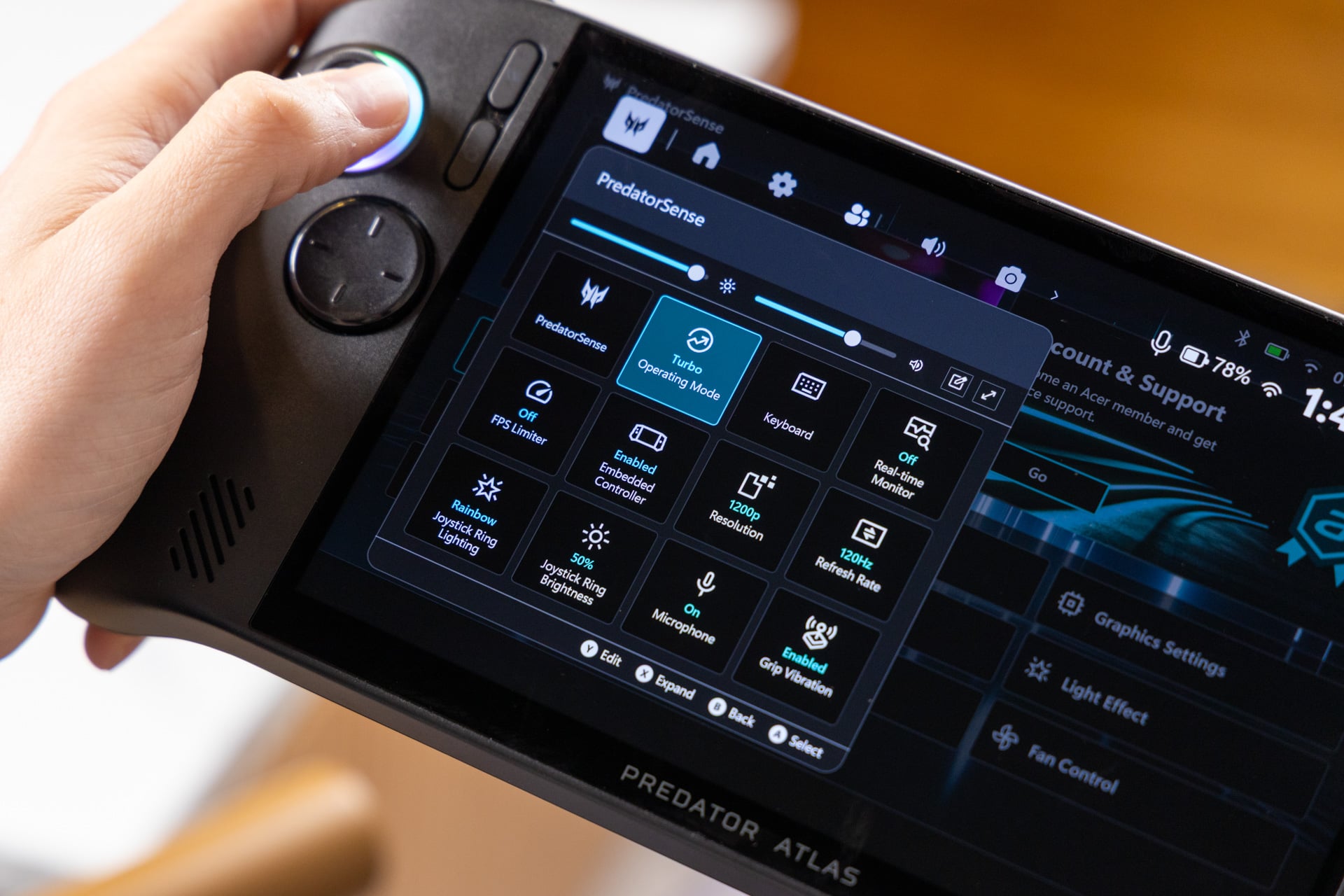
The Predator Atlas 8 reaches a maximum of 40W TDP when connected to power. The MSI Claw 8 EX AI+ can reach 45W, while the ROG Ally X and X20 top out at 35W. For mobile play, maximum TDP is only part of the decision because higher power use competes with battery runtime.
During testing, battery life did not exceed two hours in the examples described. Star Wars: Galactic Racer at 35W Turbo required a charge before the session could continue, and Gears of War: E-Day ran for about 1 hour and 40 minutes at 35W. Even the less demanding Mixtape lasted only 1 hour and 55 minutes in Quiet mode.
The Quiet, Balanced, and Turbo presets made relatively small differences to total power use. The device drew close to 50W overall; changing from the 30W Balanced preset to 35W Turbo reduced total power from 49W to 44W in the tested comparison. The 80Wh battery therefore remained under substantial demand, and Black Myth: Wukong performed similarly across those modes.
Quiet mode is set to 25W, but manually reducing TDP to 10W extended battery life to more than five hours in the reviewer’s estimate. Less demanding games can remain playable at a stable frame rate at that lower setting.
Does the Predator Atlas 8 justify its higher price?
The Predator Atlas 8 offers strong gaming performance, but its $1,450 price needs to be weighed against short battery life, software issues, and a 512GB SSD. The price can make sense for buyers who prioritize frame rates, but it is harder to justify for players who value storage, long sessions, or a smoother interface.
The Predator Atlas 8 trades higher gaming performance for compromises in battery life, software, and storage.
Handheld prices have risen across the category, while the Asus ROG Xbox Ally X remains at its $1,000 launch price in this comparison. The Predator Atlas 8 costs $450 more, so the deciding question is whether its performance advantage is worth that difference to you.
The Intel Arc G3 Extreme delivers a noticeable performance boost in games such as Galactic Racer, but getting the best experience can require patience with the software and power settings. The 512GB SSD is also restrictive for a modern game library: during the review, several games had to be uninstalled and reinstalled to make room for others.
The Predator Atlas 8 is best understood as a performance-focused handheld with meaningful compromises. Its value depends on whether higher frame rates matter more to you than battery endurance, storage capacity, software polish, and the current price.
What are the main drawbacks of the Acer Predator Atlas 8?
The main drawbacks are short battery life in demanding games, occasional software problems, a mushy D-pad, uneven speakers, and limited 512GB storage.
How long does the Predator Atlas 8 battery last?
In the review’s tests, demanding games lasted under two hours at higher power settings. Manually lowering TDP to 10W could extend runtime beyond five hours in less demanding games.
Can you expand the Predator Atlas 8 storage?
Yes. The handheld has a microSD card slot and supports regular microSD cards, which can supplement its 512GB SSD.
Is the Predator Atlas 8 faster than the ROG Xbox Ally X20?
In the review’s comparisons, the Predator Atlas 8 delivered higher frame rates than the ROG Xbox Ally X20 at the same TDP, with average performance differences reported at 30% to 40% across the benchmarks.


 David Bridges