 Brandon Fletcher
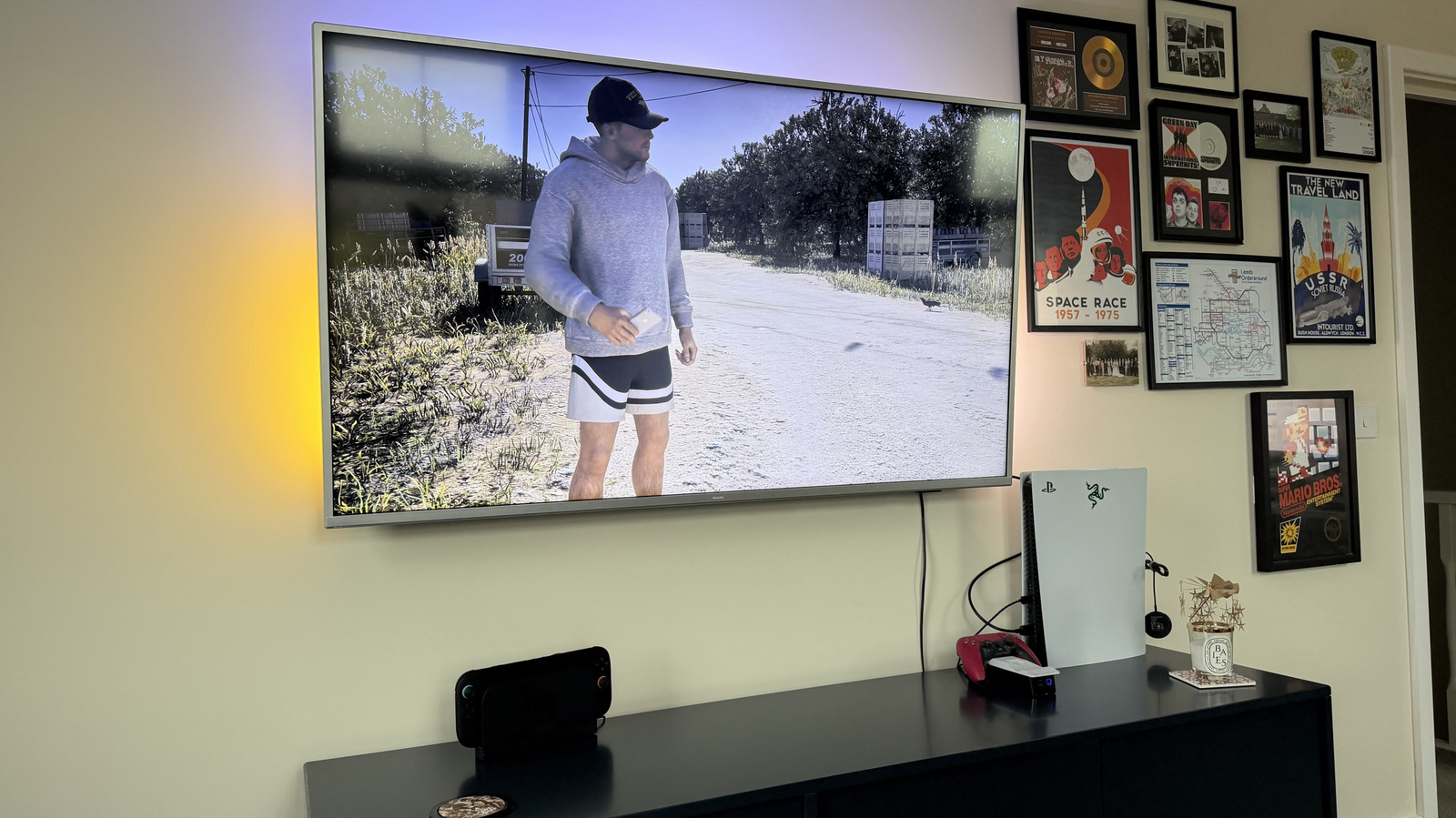

GTA 6 performance is capped at 30 fps on current-generation consoles; check these five areas to see whether your PS5 or Xbox is limiting the game’s performance.
What should you check first to improve GTA 6 performance?
- Frame-rate expectations: Most current-generation consoles target 30 fps, with drops mainly during demanding scenes.
- Game updates: Check for the latest game and system software, while allowing enough free storage for installation.
- Fresh sessions: Fully quit and relaunch GTA 6 if performance or stability seems abnormal.
- Console conditions: Keep the console ventilated, dust-free and, where possible, run the game from internal storage.
GTA 6 performance on PS5 and Xbox Series X|S is limited by the consoles’ available hardware, so settings changes cannot guarantee higher frame rates. This guide helps you check the game’s frame-rate behavior, software, suspended sessions, ventilation and storage before deciding whether your console may be contributing to a problem.
GTA 6 targets 30 fps on current-generation consoles, and basic maintenance cannot remove that hardware limit. In the days after the game’s November 19 debut, Xbox owners found a way to remove the Series X frame-rate cap by switching the console’s output between 60Hz and 120Hz and using Quick Resume. When Digital Foundry tested the trick, the uncapped Series X averaged about 36 fps over an hour, while cars and animations moved noticeably faster than intended, in some cases at around double speed.
The processor is the main reason GTA 6 is capped at 30 fps on current-generation consoles, including PS5 Pro. The uncapped Series X gained only about six frames per second on average, showing why changing settings is unlikely to deliver a major improvement. A console that is out of date, stuck in a stale session, clogged with dust or running the game from an unsuitable drive may still perform worse than it should.
What frame rate should GTA 6 deliver on each console?
GTA 6 generally targets 30 fps, but performance varies by console and by what is happening on screen. The original-model PS5 can dip below 30 fps during intense action, while the PS5 Pro and Xbox Series X usually hold closer to the target.
GTA 6 performance depends on the console and scene, with the Series S showing the largest reported frame-rate drops. In testing, the original PS5 sometimes fell below 30 fps during city driving and reached 23 fps in a grenade-launcher test with multiple explosions. PS5 Pro stress tests generally maintained 30 fps, with drops to around 24 fps when many cars were wrecked at once.
The Xbox Series X generally holds its 30 fps target but can dip in busy scenes and explosions. The Xbox Series S, which renders internally at 720p, runs between 25 and 30 fps for much of the game and can fall to 20 fps in busy areas; one explosive scene briefly reached 18 or 19 fps in Kotaku testing.
Because consoles do not include built-in frame-rate counters, watch for stuttering during firefights, police chases, explosions and vehicle pile-ups. Some drops during demanding action are expected, but choppiness during cutscenes or ordinary walking and driving may indicate another issue, including on Series S.
GTA 6 does not offer native 40 or 60 fps modes on these consoles. Rockstar technology production director Marc Chambers has said that even the PS5 Pro’s processor is not powerful enough to support a higher frame rate.
How do you check for a GTA 6 update?
Check that GTA 6 and the console’s system software are up to date, especially if the game crashes or stops progressing. A game update may address bugs, but the update information described here did not identify frame-rate improvements.
Rockstar released the first post-launch GTA 6 update on November 23. Its notes listed fixes for crashes and progression problems, including broken autosaves and story phone calls that did not arrive, but did not mention frame rate or performance. Rumors of a stuttering fix scheduled for November 25 were not followed by such an update.
On PS5, highlight GTA 6 on the main menu, press the Options button and select Check for Update. On Xbox, open My games & apps, choose Manage and check Updates for a newer version. The game requires 212GB of free space, and Sony warns that installing data can require roughly twice the installation size, so a nearly full console may not have space to install a patch.
Players were still reporting error CE-108255-1 and other crashes as recently as November 25. Sony describes CE-108255-1 as an error with a game or application; its troubleshooting steps include installing the latest system software, starting a new save and, as a last resort, deleting and reinstalling the game.
Should you quit GTA 6 instead of resuming it?
Rockstar Games
Fully quitting GTA 6 gives the game a clean start and avoids relying on Quick Resume, which can behave unexpectedly in some titles. On Xbox, quitting also disables the resume state used in the frame-rate-cap workaround.
Quick Resume saves a game’s state when you switch to another title and reloads it when you return. The Xbox frame-rate glitch uses Quick Resume after changing the console output from 60Hz to 120Hz, but the uncapped game can crash or develop bugs, and its animations may run faster than intended.
In Digital Foundry testing, the uncapped Series X reached 60 fps only while flying a plane with almost nothing but sky in view. It managed around 40 fps on lightly trafficked highways but barely exceeded 30 fps in busier scenes, supporting the finding that 60 fps is beyond current console hardware.
To fully quit the game on Xbox Series X|S, press the Xbox button, highlight GTA 6, press the Menu button and select Quit. To manage Quick Resume for a game, open Manage game and add-ons > Quick Resume settings from its tile. Microsoft added this option because Quick Resume does not always behave as intended in certain games, particularly after a game has been inactive for a while.
On PS5, highlight GTA 6 on the main menu, press Options and choose Close Game, or turn off the console. Save regularly before closing the game because rest mode will no longer preserve the suspended session as a fallback.
How should you clean and ventilate a PS5 or Xbox?
Keep the PS5 and Xbox in a ventilated area, away from dust, heat sources and cramped spaces. Sony recommends keeping the PS5 roughly 4 inches from walls, out of closed cabinets and off long-pile carpets, with dust cleared from its vents.
Console ventilation helps manage heat, while dust can accumulate in consoles over time. Microsoft likewise recommends a relatively cool, well-ventilated location for Xbox and advises against placing objects on, under or directly beside the console.
Neither Sony nor Microsoft states that a hot console necessarily causes slower gameplay, but overheating can cause crashes or shutdowns. Sony advises turning off a PS5 that displays an overheating warning and allowing it to cool; Microsoft lists poor ventilation or overheating as possible reasons an Xbox may shut down without warning.
Cleaning does not fix hardware limitations or faults, but it removes heat and dust as possible contributing factors. Before cleaning a PS5, Sony says to unplug it and wipe the exterior with a soft, dry cloth; the side covers can be removed to access the dust catchers.
Should you install GTA 6 on the console’s internal SSD?
agencies/Shutterstock
GTA 6 requires up to 212GB of free space, so installing it on the internal SSD may mean managing other games and files. On an 825GB PS5, about 667GB is usable, making the game’s required space close to one third of that capacity.
A compatible secondary M.2 SSD can expand PS5 storage, but Sony recommends a sequential read speed of 5,500 MB/s or faster and requires a heatsink or similar cooling. A drive that exceeds that speed does not guarantee that games will perform exactly as they do on the internal SSD.
GTA 6 streams data as players move through Leonida, and Digital Foundry reported Series S frame-rate drops in situations that heavily load the console’s AI or data streaming. Storage performance is therefore one factor to check if stuttering occurs during otherwise ordinary play.
If GTA 6 is installed on an M.2 drive and stutters unexpectedly, moving it to internal storage is a reasonable troubleshooting step; no specific M.2 performance problem was reported in the source. On PS5, use Settings > Storage > M.2 SSD Storage > Move Games and Apps. Xbox Series X|S games run only from the internal SSD or Microsoft’s Storage Expansion Card, which Microsoft says performs identically to the internal drive.
What should you do if GTA 6 still stutters?
GTA 6 may stutter during demanding scenes even when the console is working as expected, because current-generation versions target 30 fps. Check for updates, restart the game, improve ventilation and try internal storage before treating ordinary action-heavy frame drops as a console fault.
Frame-rate drops during explosions and busy scenes are different from persistent stuttering during ordinary play. If updating, restarting and checking ventilation and storage do not help, follow the console maker’s troubleshooting guidance for crashes.
Answer: GTA 6 targets 30 fps on current-generation consoles, and demanding scenes can cause drops below that target.
Answer: Fully quit and relaunch GTA 6 to clear a suspended session, then check for game and system updates.
Answer: Sony recommends keeping the PS5 roughly 4 inches from walls and out of closed cabinets to support ventilation.
Answer: GTA 6 requires up to 212GB of free space, and Sony says installation can require roughly twice the game’s install size in free space.
Answer: PS5 players can move GTA 6 between the internal drive and an M.2 SSD through Settings > Storage.


 Daniel Mercer