Daniel Mercer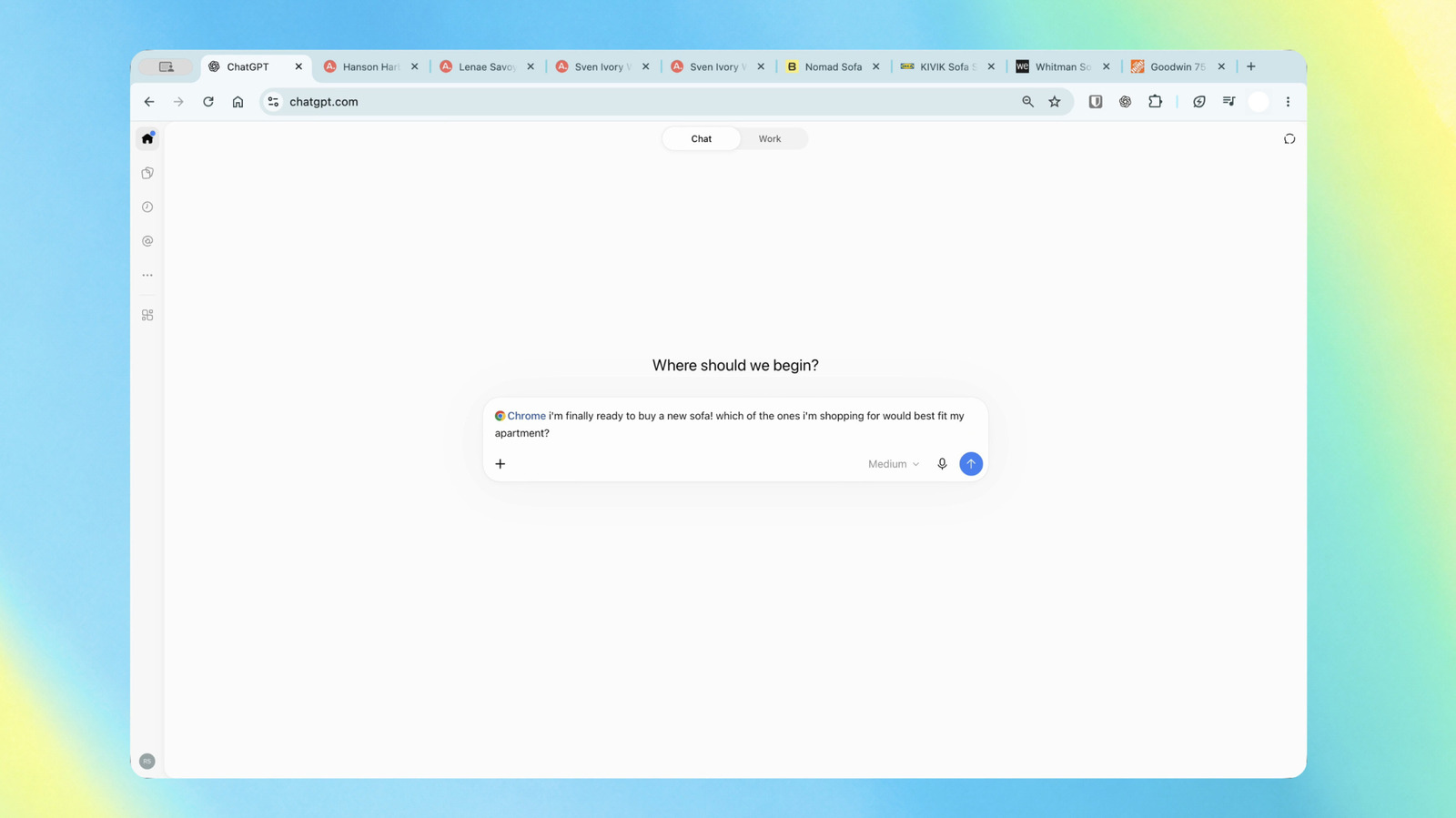

OpenAI has enhanced its ChatGPT extension for Chrome, enabling it to analyze your open tabs for more tailored and effective responses to your inquiries. Previously, OpenAI had its own browser, but it discontinued that product on August 9. The recent upgrades to the Chrome extension position ChatGPT as a more competitive alternative to Gemini within the browser environment. With these improvements, ChatGPT can now perform an even wider array of tasks directly in Chrome.
If you are using ChatGPT Chat, you can request the AI assistant to examine your active tabs on Chrome. This feature allows it to generate answers that are particularly relevant to you. For example, you might ask it to compare couches from three different tabs based on their dimensions, prices, delivery times, and return policies.
For users of ChatGPT Work, which is designed for managing complex, multi-step tasks, you can instruct the assistant to send messages, fill out forms, and organize your tabs. For instance, you could have ChatGPT complete a form for your new dentist appointment and simultaneously add your schedule to your calendar. Another scenario involves asking the chatbot to review multiple contractors’ terms from various tabs and subsequently draft an email to the provider whose terms best meet your requirements.
ChatGPT in the Chrome sidebar can now access your entire browsing history. This functionality allows you to interact with the assistant and assign it tasks without needing to switch tabs. You can download the ChatGPT extension regardless of your subscription plan. OpenAI confirms that the extension is also compatible with other Chromium-based browsers such as Microsoft Edge, Brave, and Opera.
Next up: using ChatGPT right within a Chrome tab got a major upgrade – the full power of ChatGPT is now in your browser.
Your entire ChatGPT history is right there, and you can ask questions in Chat or get things done in Work – side by side while you’re on a site. pic.twitter.com/ABiwzLvNnD
— ChatGPT (@ChatGPT) October 15, 2026



 Brandon Fletcher