 Brandon Fletcher
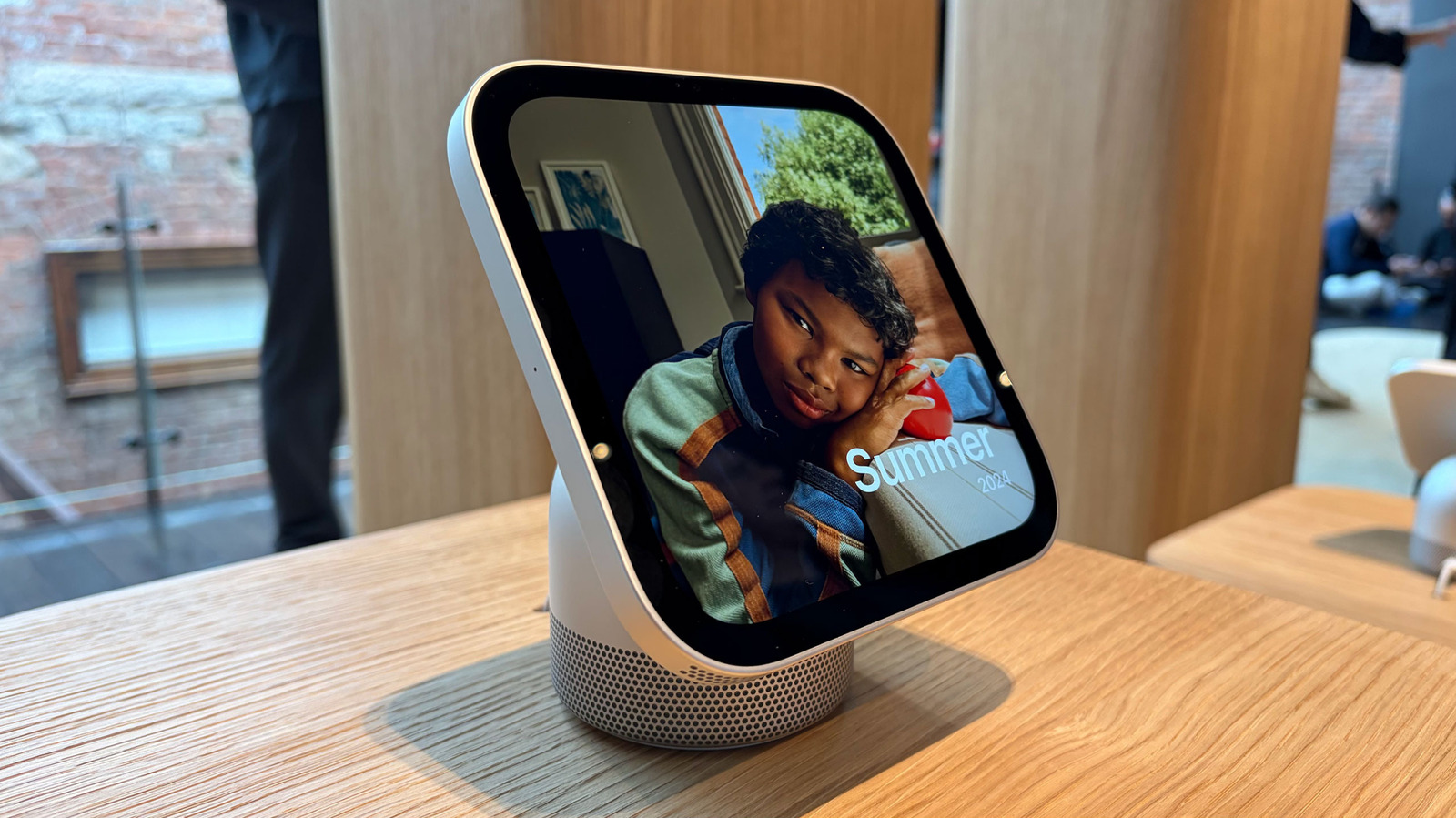

What matters most about HomeView?
- iPhone connection HomeView relies on a nearby iPhone or iPad to access personal information and compatible apps.
- Private display Messages and Calendar details appear only for a recognized user with a recently unlocked paired device nearby.
- Home functions HomeView combines a smart display, speaker, home hub, FaceTime station, kitchen helper and digital photo frame.
- Voice first HomeView is designed for voice interaction, with touch as a secondary way to control it.
iPhone is designed to serve as an intelligent personal hub, according to Apple CEO John Ternus.
HomeView, Apple’s smart display, extends that idea into the home by connecting household functions with personal information on an iPhone or iPad. This article explains how the device works, why it depends on Apple’s mobile devices and how that connection supports privacy.
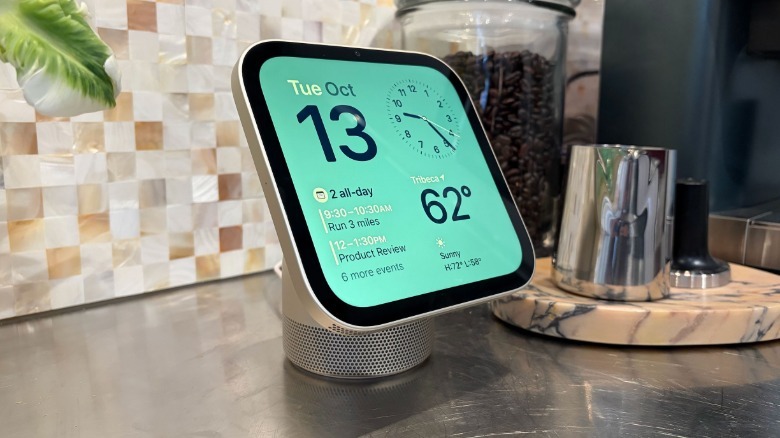
HomeView combines several roles: a smart display, a smart speaker that listens for Siri requests, a smart home hub, a kitchen assistant, a FaceTime station and a digital photo frame. These functions make it a shared home device that can also show personal information.
HomeView does not run apps directly. Instead, it mirrors compatible apps already installed on an iPhone or iPad, using an approach compared with CarPlay; it also displays Apple’s built-in apps, including Calendar, Messages, Reminders and Weather.
A nearby iPhone or iPad is needed for HomeView to provide its connected features and personal information.
Apple’s home products are guided by three principles: intelligence, personalization and privacy, according to Cecilia Dantas of Apple’s Home product marketing team.
Siri uses apps and personal context to provide more relevant, conversational answers. Apple keeps that information on the user’s iPhone, which must be nearby for HomeView to access it, rather than making the personal data available on the shared display at all times.
HomeView is designed to serve multiple household members without exposing one person’s private messages or calendar details to everyone. Its face recognition and voice recognition work alongside the paired iPhone or iPad to limit access to personal information.
HomeView recognizes a user and displays that person’s information while they are present, according to Matthew Costello, Apple’s vice president of hardware engineering. When the person steps away, that information disappears from the display.
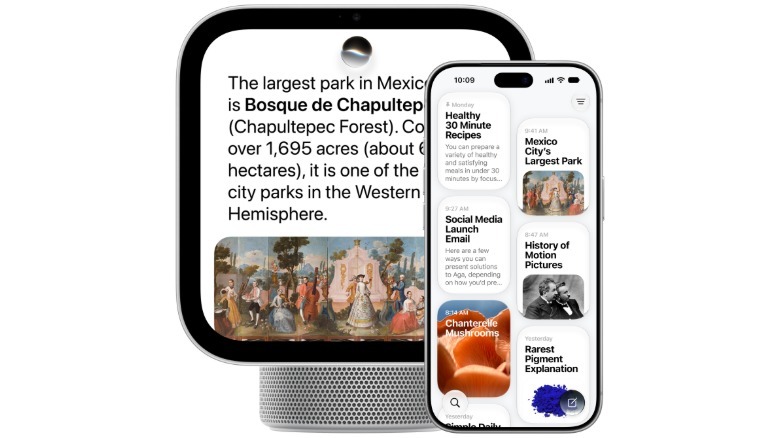
HomeView pairs the convenience of a shared home device with the personal context stored on an iPhone. Apple describes the connection as an extension of the intelligence already linked to a user’s phone.
If HomeView does not recognize someone, the device limits them to basic tasks. Even a recognized user needs a nearby, recently unlocked iPhone or iPad to view personal items such as Messages or Calendar.
Personal information appears only after HomeView recognizes the user and detects their paired iPhone nearby and recently unlocked, Costello said. The system uses contextual information while maintaining the privacy of personal data.
HomeView displays personal data while a user interacts with the device, then removes it when the user leaves. Costello said that information is not stored or displayed on the device itself.
The iPhone and iPad connection also supports handoff for music and FaceTime calls, as with HomePod. Safari recipe integration can help with cooking, and handoff from another Apple device starts the process; Apple views the connection as part of its device ecosystem.
 Billy Steele for Engadget
HomeView’s connection to an iPhone is part of Apple’s device ecosystem, Dantas said. It supports familiar apps and a familiar way to interact with the device.
HomeView has no physical buttons because Apple designed it for voice-first interaction, with touch input as a secondary option. Costello said that prioritizing voice shaped the decision to leave out buttons and physical controls.
Apple’s product team had to decide which parts of its existing home products, devices and services belonged in HomeView. Dantas described choosing what to include and what to leave out as a challenging but intentional part of creating a capable, simple experience.
HomeView’s product design builds on Apple’s existing home products while limiting which features and services carry over. The team described that selection as a deliberate balance between capability and simplicity.

How does HomeView protect personal information?
HomeView requires facial recognition and a nearby, recently unlocked paired iPhone or iPad to show personal information. Without recognition, the device allows only basic tasks.
HomeView displays personal information only when it recognizes the user and the paired device is present.
Does HomeView run apps by itself?
HomeView does not run apps directly; it mirrors compatible apps installed on an iPhone or iPad and includes Apple’s built-in apps.
HomeView relies on app mirroring rather than direct app downloads.
What can HomeView do in a home?
HomeView functions as a smart display, speaker, home hub, FaceTime station, kitchen assistant and digital photo frame.
HomeView brings several household and communication functions together in one device.
Why does HomeView need an iPhone or iPad nearby?
A nearby iPhone or iPad provides access to compatible apps and the user’s personal context while keeping personal information tied to that device.
HomeView uses a paired Apple mobile device to connect personal data with shared home functions.

 Daniel Mercer