 Ethan Carter


Examine Closely: Differentiate Between Pixel Issues
Many users of electronic devices experience a moment of panic when they notice a mark on their screens, often mistaking it for a smudge. In some cases, this issue stems from cable or source problems and is not a cause for concern. when it involves pixels, the situation can be more alarming due to the varying degrees of repairability associated with pixel issues.
Even top-of-the-line monitors can encounter pixel-related problems, primarily categorized into two types: stuck pixels and dead pixels. Both issues manifest as dots—or clusters of dots—that are unwelcome on any screen. While they may appear similar at first glance, distinct differences exist in their appearance and repairability.
How to Identify Stuck Pixels Versus Dead Pixels
The most significant distinction between a stuck pixel and a dead pixel lies in their light emission. A stuck pixel remains illuminated, displaying a constant color—either blue, red, green, or a bright spot—whereas a dead pixel, as implied by its name, ceases to function and remains black. This visual marker can help users identify the specific issue they are confronting.
Another crucial factor is the fixability of each issue. Stuck pixels can often be resolved through various troubleshooting methods, allowing users to restore them to normal function. In contrast, a dead pixel cannot be repaired. If you encounter a dead pixel, you will likely need to seek a replacement or learn to live with it. Fortunately, dead pixels typically present a less disruptive visual issue than problems such as screen burn-in.
Effective Methods to Test for Dead and Stuck Pixels
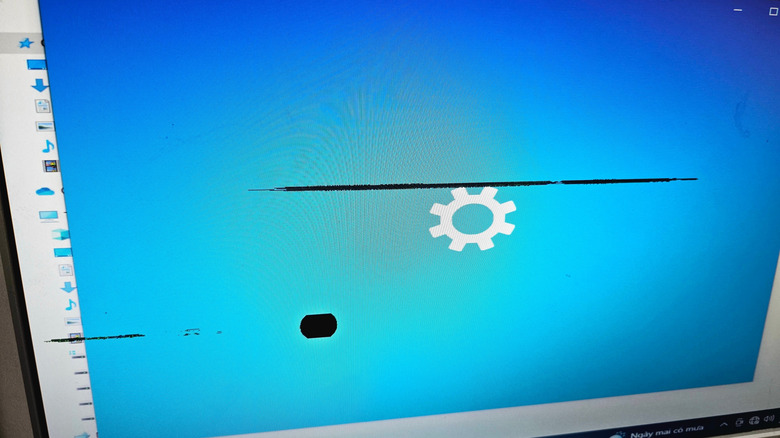
Loner Nguyen/Shutterstock
Identifying stuck and dead pixels can be challenging due to their minuscule size. Start by eliminating other potential display issues. Clean your screen thoroughly, verify whether the problem persists across different applications, and, if possible, test with a new cable and input device.
After ruling out other issues, perform a specific test designed to identify pixel problems. Numerous websites and applications exist to help detect pixel issues, such as Dead Pixel Buddy, while some tools like JScreenFix or Dead Pixels Test and Fix aim to resolve stuck pixels. It’s important to note that diagnosing stuck pixels can be tricky, particularly if they are caused by power or heat fluctuations, as these may only appear intermittently. When such issues arise, access one of these testing tools as soon as you notice the problem.


 Daniel Mercer