David Bridges

Conversation with your friends or businesses on Instagram can become trickier when the other participant uses a foreign language. If you find it difficult to chat in a foreign language, we will help you translate everything in an instant. Stay with us in this explainer to learn how to translate a direct messages on Instagram. Additionally, you can learn to translate Google Maps to ease your exploration.
How to Translate Direct Messages on Instagram?
Gone are the days when you had to copy each message from your Instagram conversation to understand its corresponding translation. With new advancements, translating direct messages on Instagram is as easy as eating a pie. Having said that, let’s look at five easy methods to get it done.
Use Instagram In-App Direct Messages Translator
If you’re a content creator or own a business page on Instagram, you can enable message translation for both the ends in direct messaging for better understanding. Here’s how you can enable this feature on Instagram:
Note: You must have a business or professional account on Instagram to enable this feature.
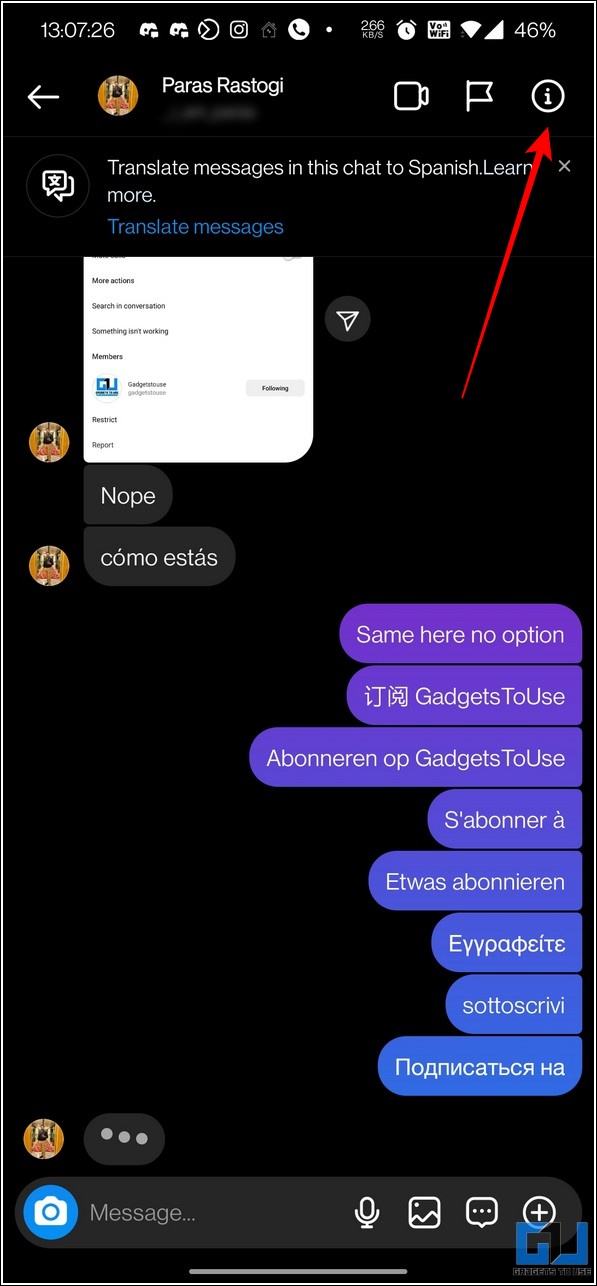
1. Go to the desired Instagram message from Direct Message section and press the Info button in the top-right corner.
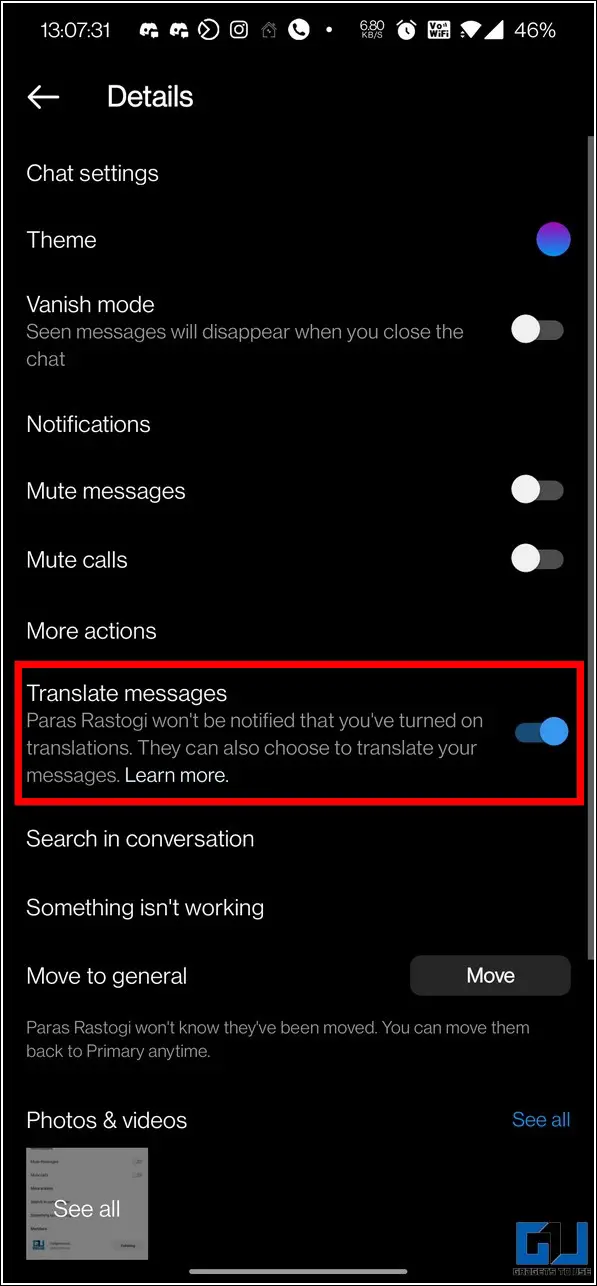
2. Next, enable the toggle next to Translate Messages to translate all the foreign language messages automatically for that conversation.
3. Similarly, you can ask the other message participant to enable it for helping him to understand the same.
Translate Instagram Direct Messages with Google Keyboard
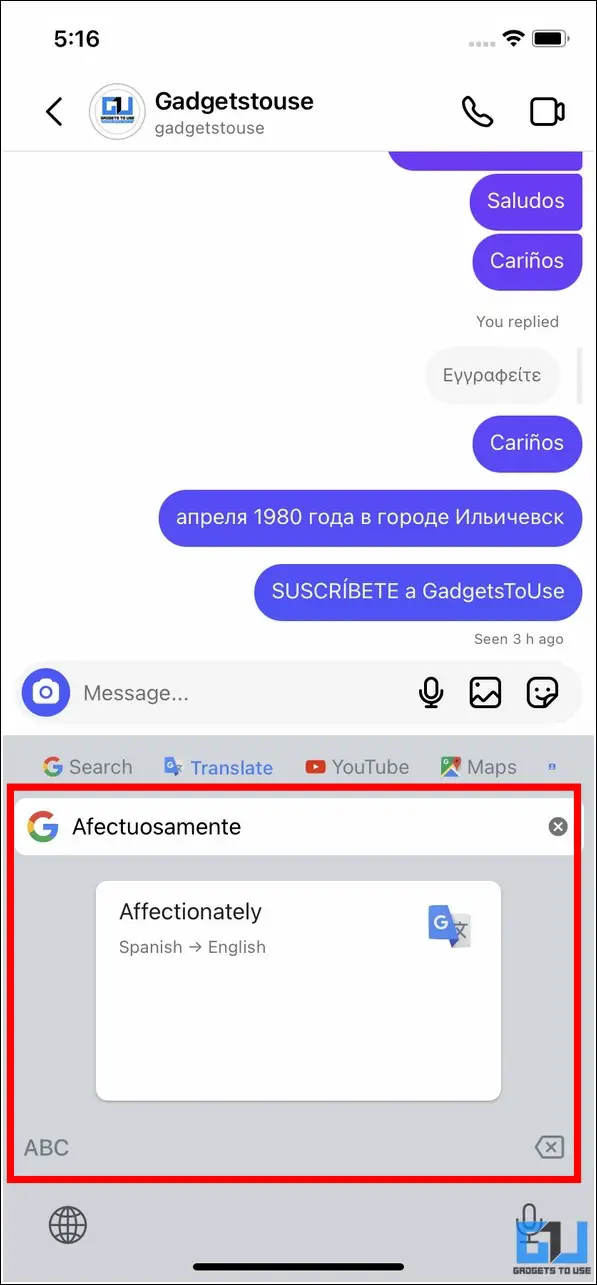
If you use Google Keyboard to type on your phone, it can help you translate any unidentified direct messages on Instagram. Here’s how:
1. Go to your desired direct message on Instagram and long press the message to view more options.
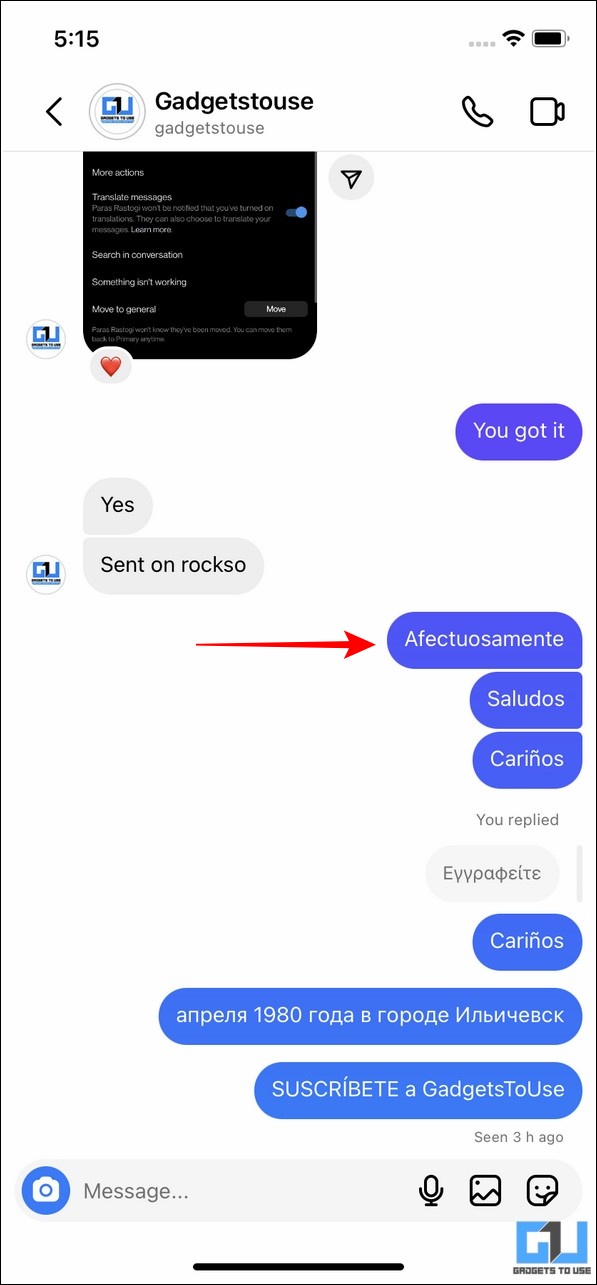
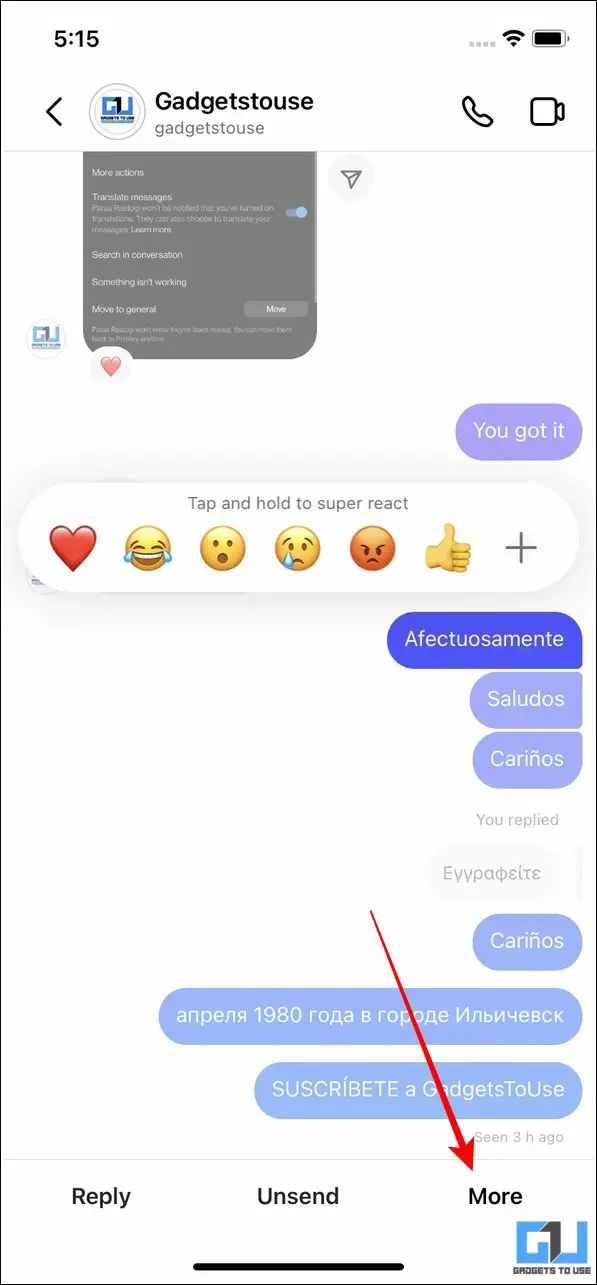
2. Now, tap on copy button to copy the unidentified text to your phone’s clipboard.

3. Now, tap on the text field to type a reply. Once, the Gboard appears, press the translate button and tap on Allow Paste.
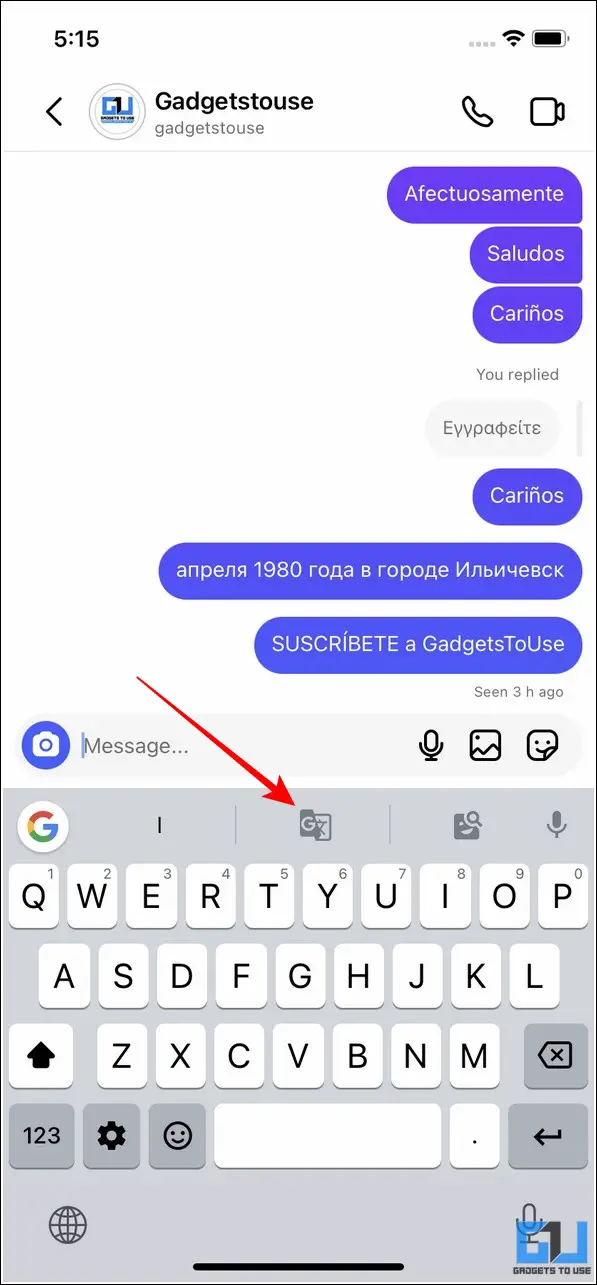
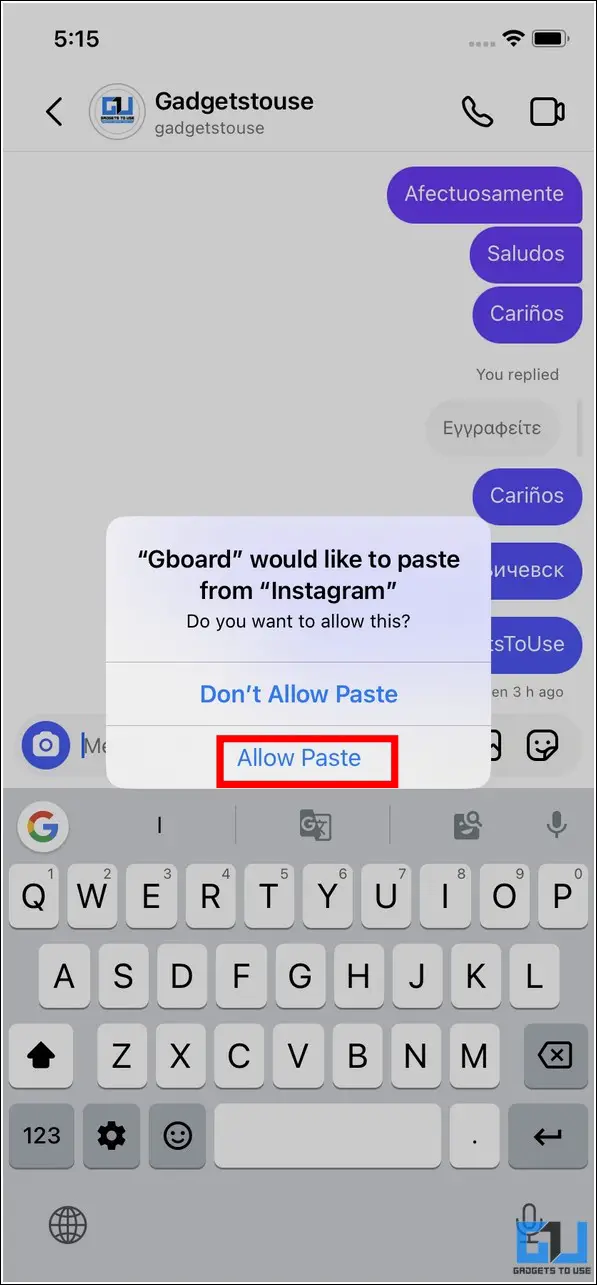
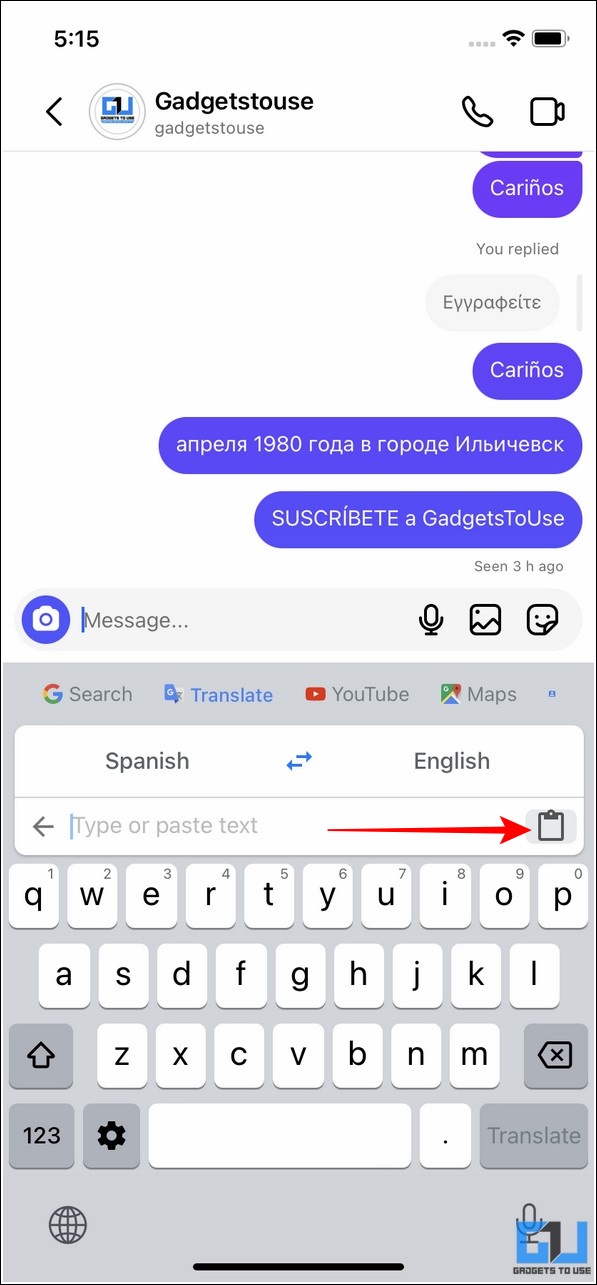
4. Finally, tap on the Paste button and choose the desired language to view the translated message inside the Google Board app.
Use Google Translate App to Translate
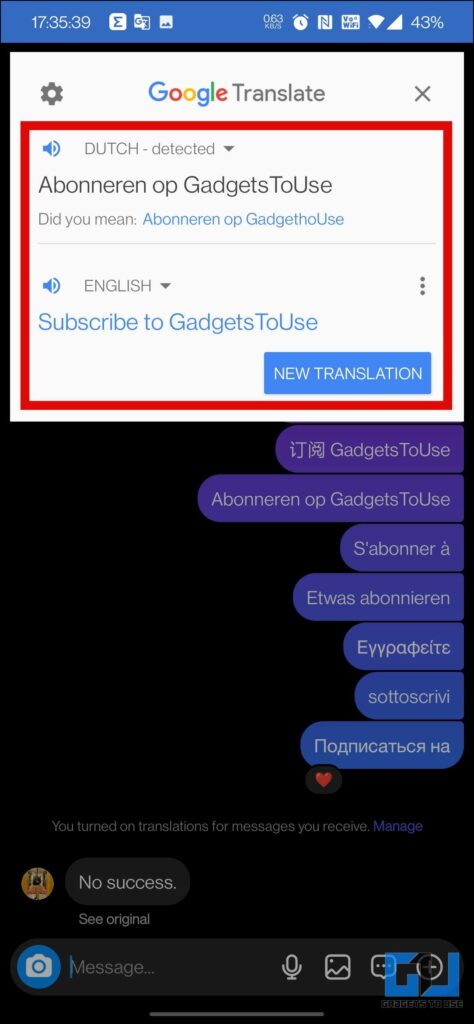
Besides translating text manually, the Google Translate app allows you to translate everything on your screen without worrying about copying each message individually. Consequently, you can highlight the unidentified text in the Instagram direct message to produce an instant translation of the selected text. Read our quick guide to learn how to translate text in an App using Google Translate.

Translate Instagram Direct Messages via Google Lens
Another nifty method to translate direct messages on Instagram is through the Google Lens app. Follow these steps for an easy fix:
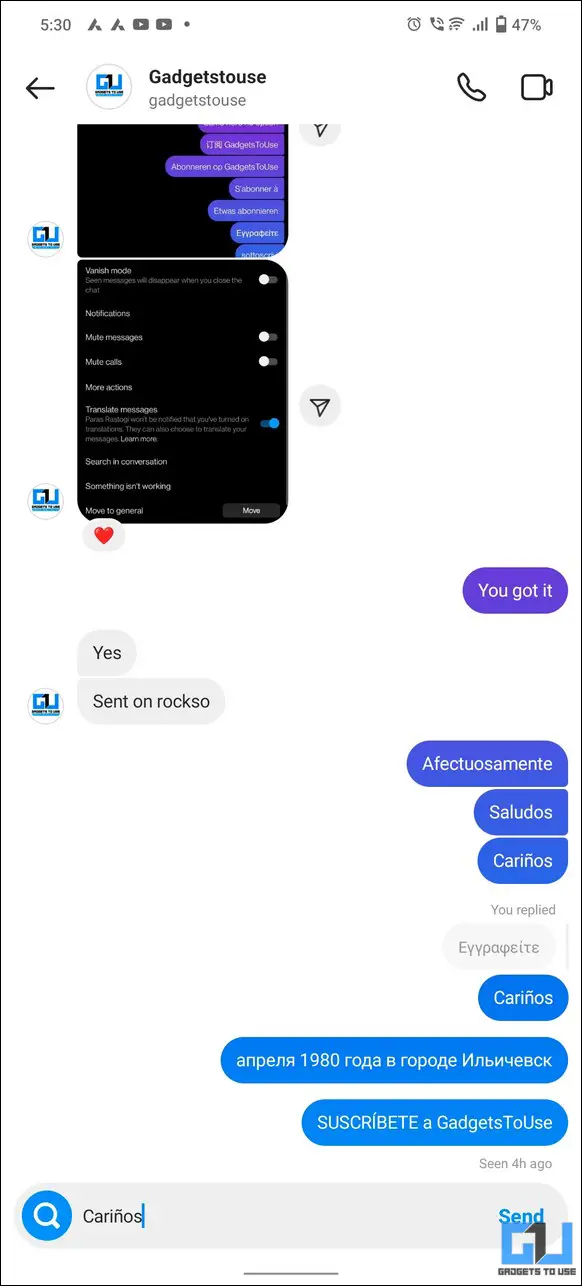
1. Take a screenshot of the Instagram conversation containing unidentified language.
2. Next, head over to the Google Lens app and pick the screenshot that you just captured.
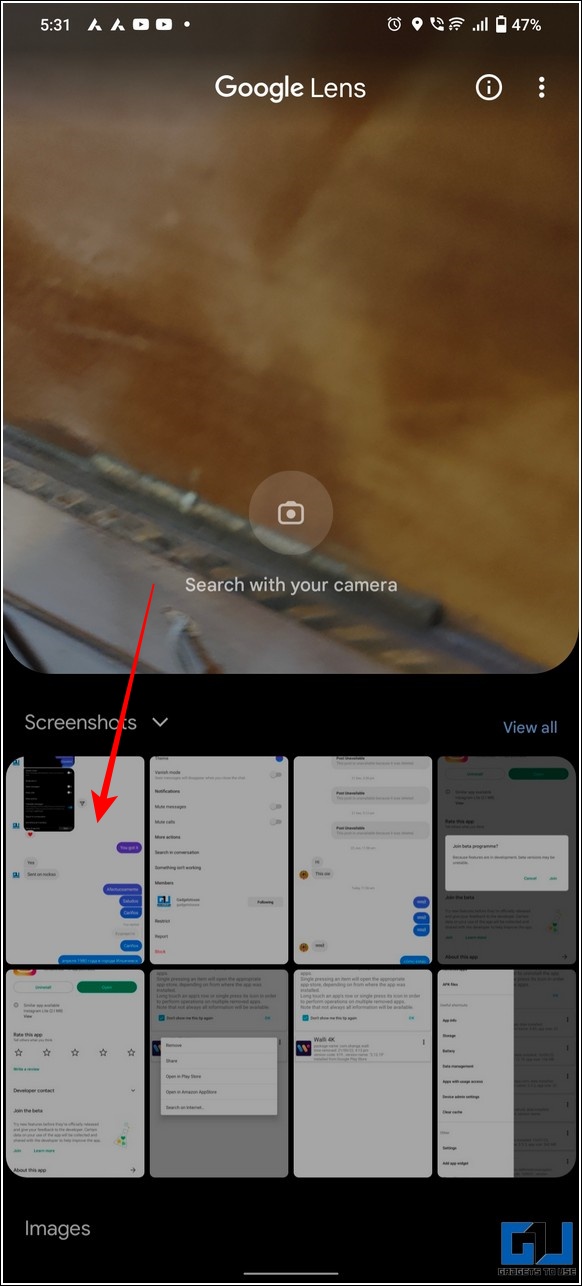
3. Finally, switch to the Translate tab from the bottom to view the corresponding translation of the entire text present in your screenshot.
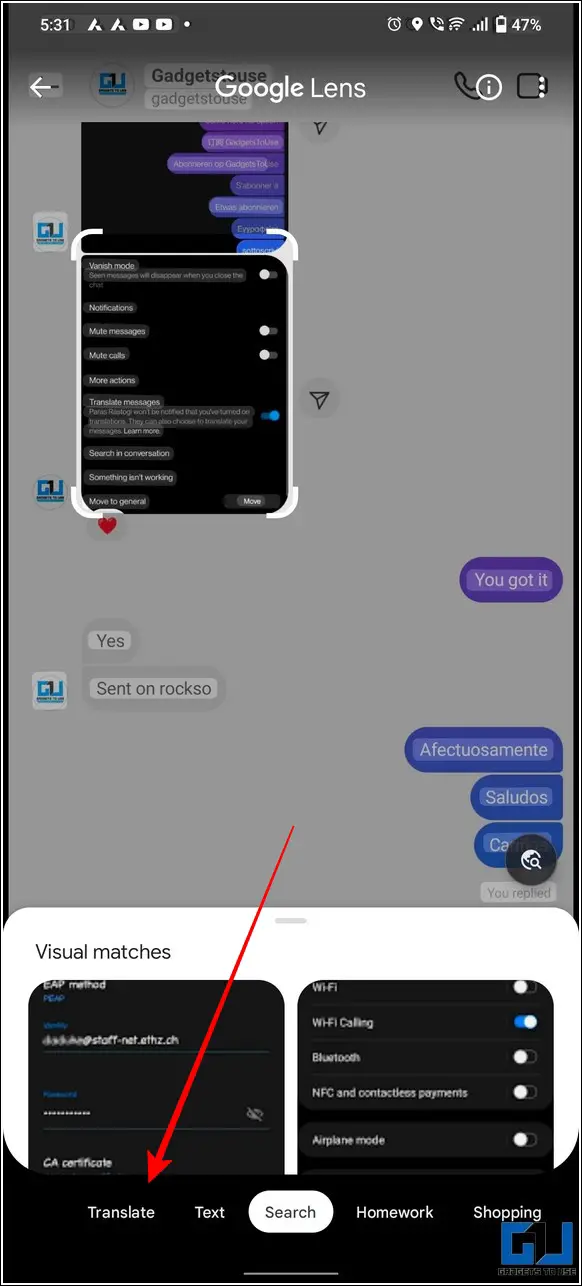
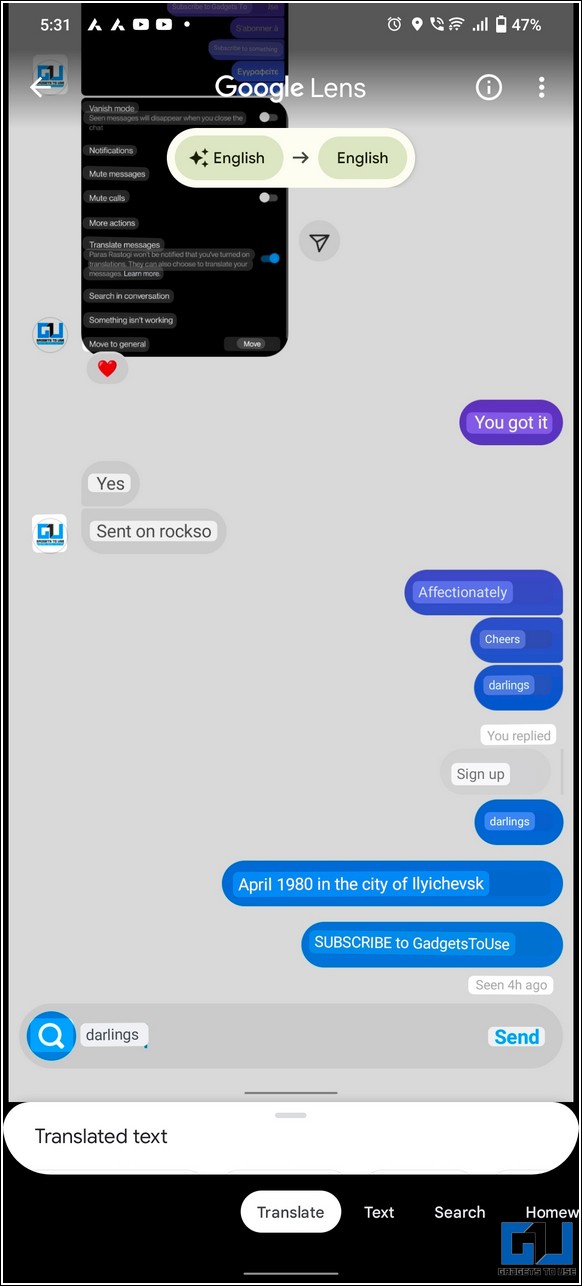
4. You can also listen to the translated text in your image by pressing the Listen button.

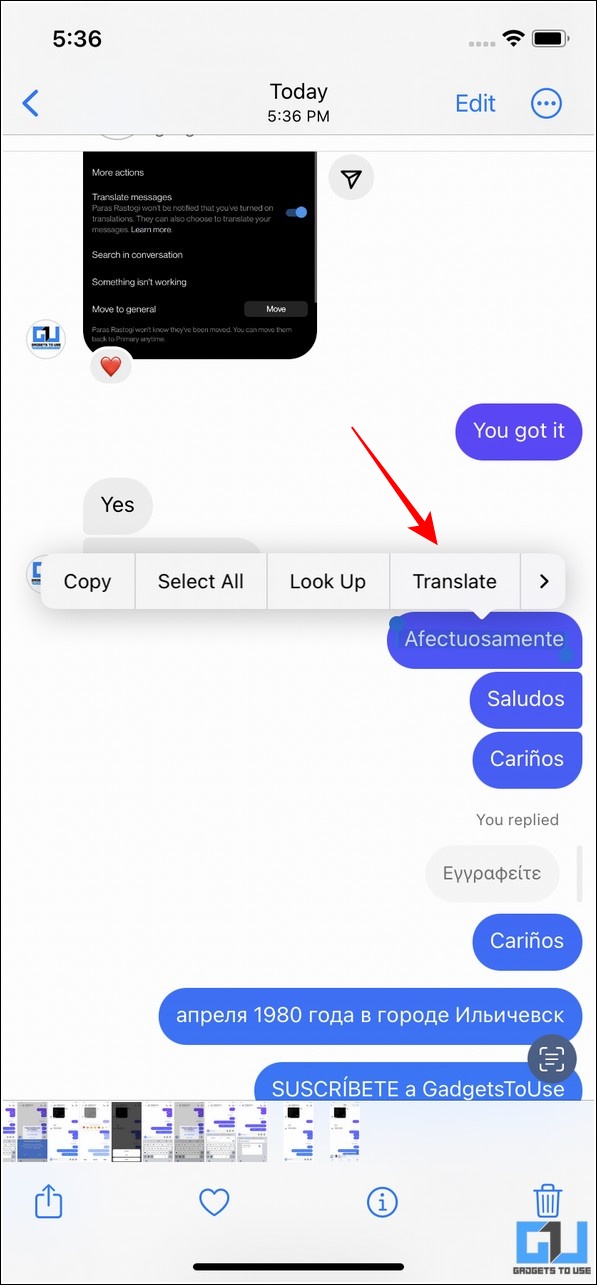
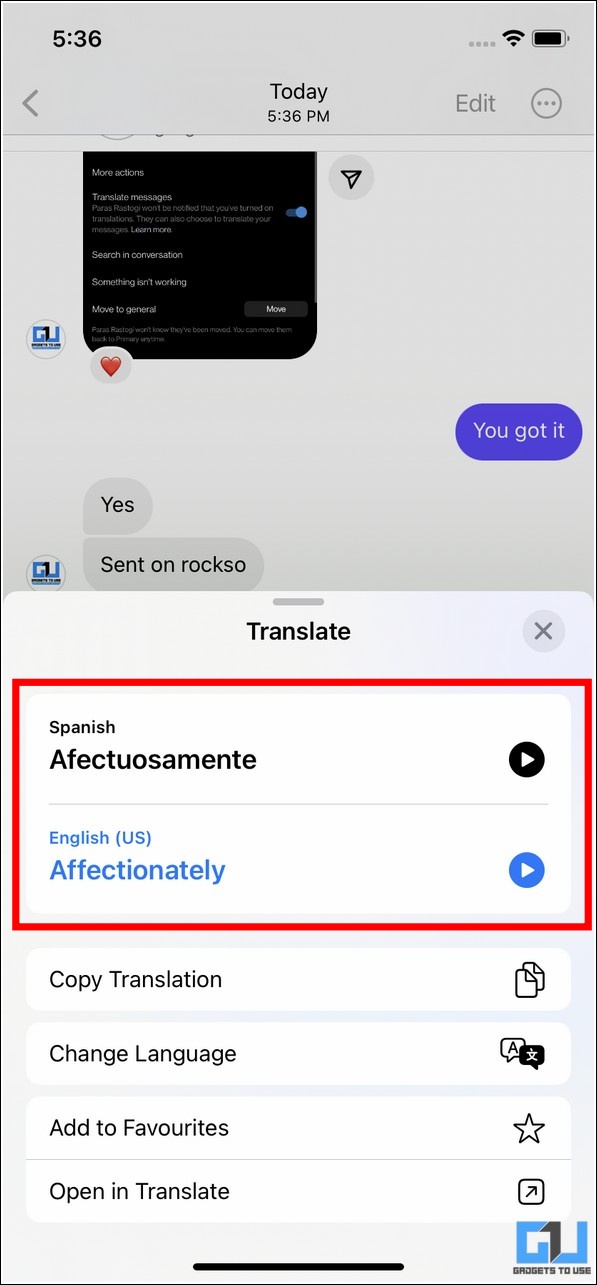
Translate Instagram Direct Messages on iOS 16
If you own an iPhone and have updated to the latest iOS 16, you can use its nifty features to quickly translate text in your Instagram’s direct message. Follow these easy steps to achieve the same.
1. First, capture a screenshot of the desired Instagram message containing an unidentified/foreign language.
2. Next, go to the native Photos app on your iPhone and long-press the unidentified message to view more options. The iOS 16 update will allow your iPhone to identify the text present inside the image.
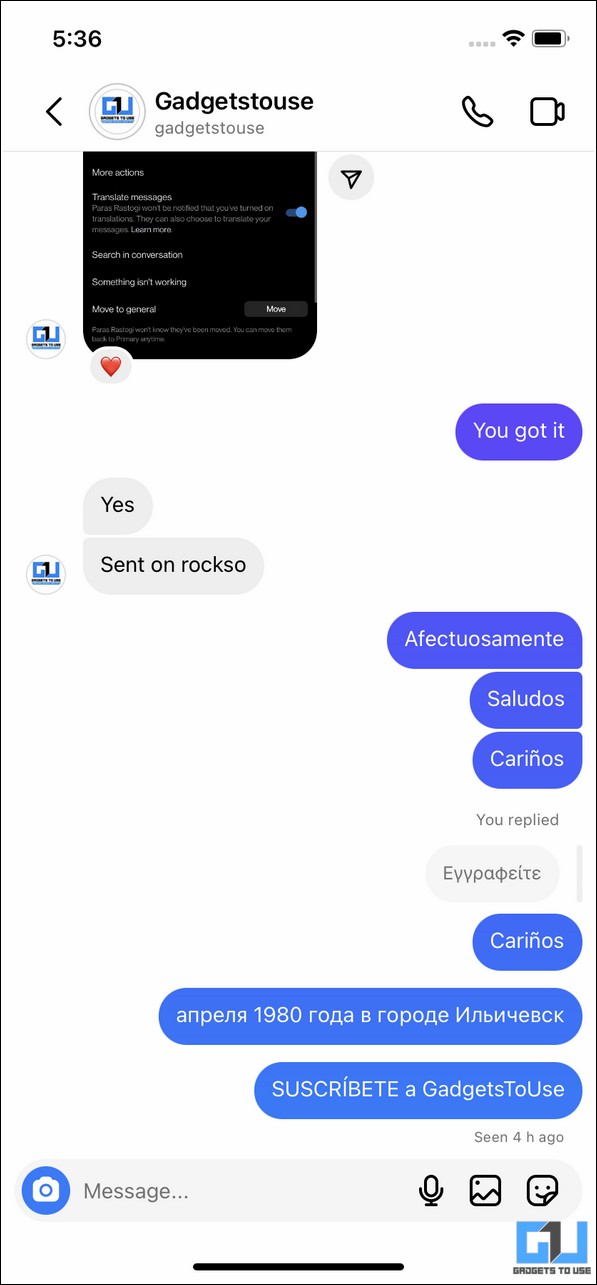
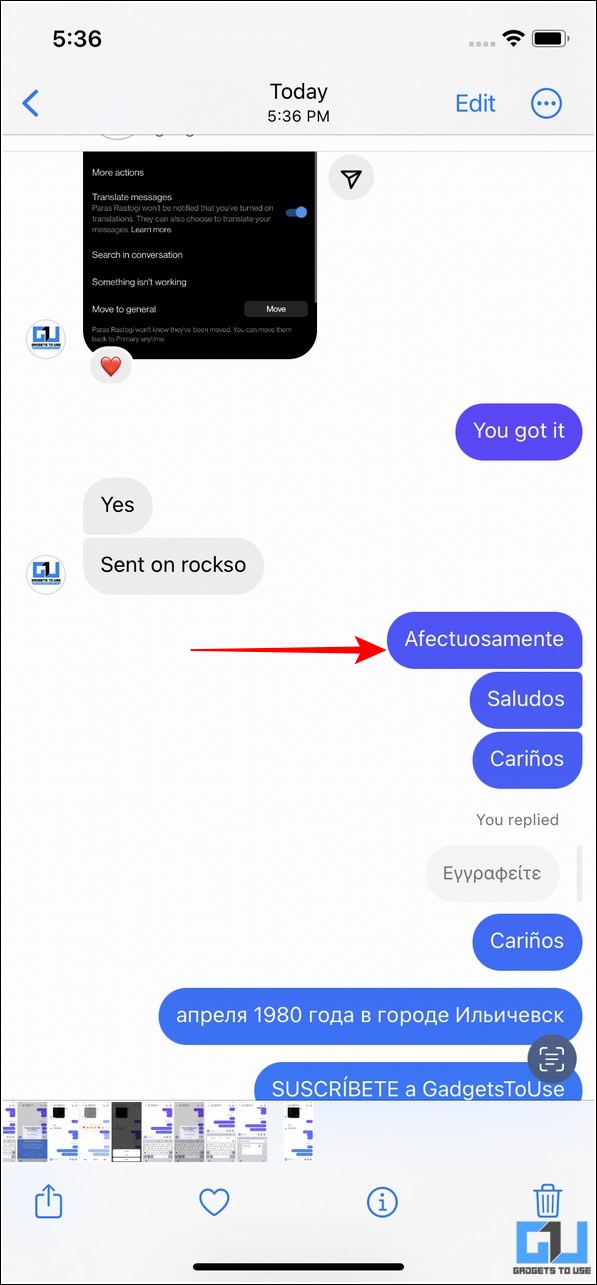
3. Finally, tap on the Translate button to view the associated translation.
Bonus Tip: Auto Translate Chrome Web Pages on PC and Mobile
In addition to its app, Instagram allows you to log in and access your account using a web browser. Once opened, you can use Google Chrome’s built-in auto-translate feature to translate the entire page for understanding the unidentified text in your direct message.
FAQs
Q: The Instagram translation feature is not available on my account. How do I enable it?
A: You need to enable the business/professional profile on your Instagram account to access it. Moreover, your Instagram conversation should have at least a few unidentified words to let Instagram enable the same.
Q: How many languages can Instagram translate?
A: Instagram supports up to thirty-six different languages for translating text.
Wrapping Up
That’s all for the top five ways to translate direct messages on Instagram. We hope this guide has helped you to chat in a foreign language by translating them using the above nifty methods. Check out other useful tips linked below, and stay tuned for more useful explainers.
You can also follow us for instant tech news at Google News or for tips and tricks, smartphones & gadgets reviews, join GadgetsToUse Telegram Group, or for the latest review videos subscribe GadgetsToUse Youtube Channel.


 Sophie Langley
 Tessa Everly