Ethan Carter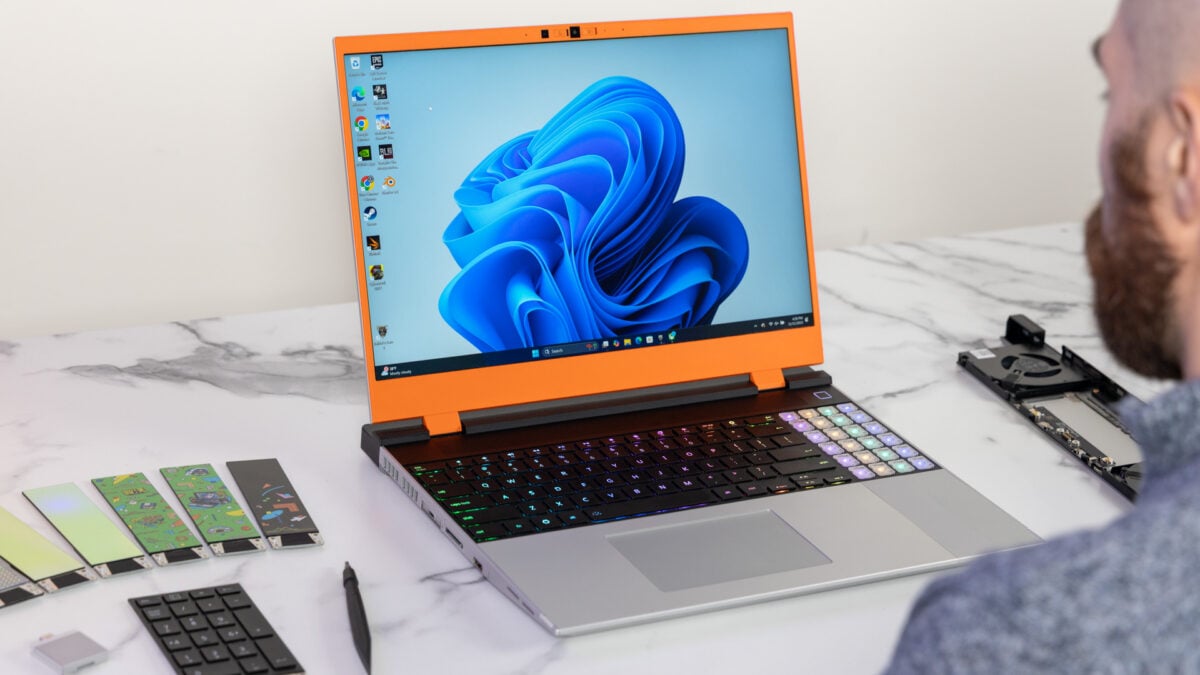

What is Microsoft Windows 11 and Why Does It Matter?
Microsoft Windows 11 is an operating system because it provides a platform for users to run applications and manage hardware, which matters for both personal and professional computing needs.
At SocialSchmuck, we specialize in social media, entertainment, and technology news, helping tech enthusiasts stay informed about the latest updates and features. Our goal is to empower users with knowledge that enhances their digital experiences.
We monetize through affiliate partnerships, sponsored content, and advertising, ensuring our audience receives valuable insights while we generate revenue. This guide covers key updates to Windows 11, focusing on user experience improvements, performance enhancements, and the integration of AI features.
- Overview of upcoming updates
- Enhancements to user experience
- Performance and reliability improvements
- Feedback and control features
What Updates Are Coming to Windows 11?
Microsoft plans to roll out updates to Windows Insiders starting next month. These updates will target several key areas to improve the overall user experience. According to Pavan Davuluri, EVP of Windows & Devices at Microsoft, the updates aim to make Windows 11 less frustrating.
Key changes include enhancements to File Explorer, which will become “faster and more dependable.” Users can expect improvements in lag times, smoothness, and general performance. Additionally, Microsoft intends to be “more intentional” with the integration of Copilot, focusing on genuinely useful applications.
- Faster File Explorer
- Improved Copilot integration
- More reliable performance
How Will Copilot Integration Change in Windows 11?
Microsoft plans to reduce the frequency of Copilot prompts. Certain “entry points” will be removed from applications such as Snipping Tool, Photos, Widgets, and Notepad. This change aims to lessen user frustration with the AI assistant.
Moreover, users will gain greater control over updates. For example, they will be able to skip updates during device setup and restart or shut down without forcing updates. Users can also pause updates for longer periods and receive fewer notifications about updates.
| Feature | Before Update | After Update |
|---|---|---|
| Copilot Prompts | Frequent | Less Frequent |
| Update Control | Limited | Enhanced |
What New Customization Options Will Be Available?
Users will soon have the ability to reposition the taskbar to any side of the screen. This includes options for the bottom, top, or sides of the display. Additionally, users will have improved control over widgets, allowing for better personalization and management of the Discover feed.
Microsoft is also rolling out a significant update to the Feedback Hub. This redesigned experience will make it faster and easier for users to submit their feedback. Changes to the Insider program will also enhance access to new features and clarify how user feedback shapes Windows.
- Taskbar repositioning
- Improved widget control
- Enhanced Feedback Hub experience
What Performance Improvements Can Users Expect?
Microsoft claims to be making substantial improvements to performance and reliability. Updates will focus on enhancing memory efficiency, which lowers the baseline memory footprint for Windows. This change will free up more capacity for running applications.
Additionally, Microsoft aims to reduce latency for tasks such as search, navigation, and transferring large files. On the reliability front, the company will work to minimize OS-level crashes, improve driver quality, and enhance app stability across the ecosystem.
| Performance Metric | Current State | Post-Update Goal |
|---|---|---|
| Memory Footprint | High | Lowered |
| OS-Level Crashes | Frequent | Reduced |
Will These Updates Truly Improve Windows 11?
While the proposed updates sound promising, users remain skeptical about whether Microsoft can genuinely enhance the Windows 11 experience. Feedback from users has been crucial in shaping these changes. As Davuluri stated, “Thank you for holding us to a high standard. Windows is as much yours as it is ours.”
As of 2026, users will be watching closely to see if these updates deliver on their promises and truly make Windows 11 a more enjoyable operating system.
For more detailed insights, you can read the original content here. The images and photos used in our article are sourced from this link and are used solely for informational purposes with proper attribution.
 Daniel Mercer